
Blog / Category
APEX
462 articles in this category
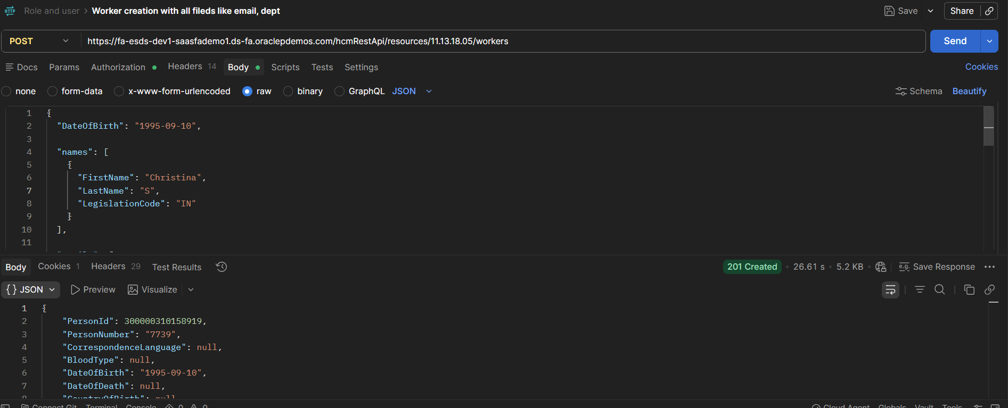
Creating Workers Oracle Fusion HCM API
Creating Workers in Oracle Fusion HCM via REST API Creating and Managing Workers in Oracle Fusion HCM Using REST APIs Instead of the Guided UI Flow Introduction…
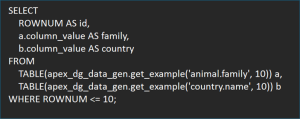
Stop Writing Fake INSERT Scripts in Oracle Apex during initial development: Generating Realistic Test Data in Oracle APEX with APEX_DG_DATA_GEN
Introduction / Issue Anyone who’s built in Oracle APEX for more than a few weeks knows this pain: the screens are done, the logic works, and every table is comp…
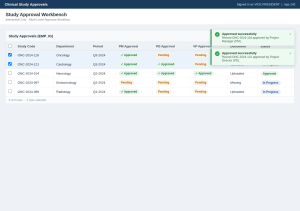
Building a Multi-Level Approval Workflow in Oracle APEX Interactive Grid
Introduction Many enterprise applications require data to be reviewed and approved by multiple stakeholders before it becomes final. Oracle APEX provides an exc…
Fixing PDF Overwrites in JasperReports with Dynamic File Naming
Introduction: – When building PDF generation into a JSP application using JasperReports, a common bug shows up: every generated report is saved under the same f…
Integration of Payment and SSO in Oracle Apex
Introduction/ Issue: The ATS Resume Scanner app needed two things before a user could actually use it: a login that didn’t require yet another password, and a w…

How to Implement LDAP-Based Single Sign-On (SSO) in Oracle APEX Using HTTP Header Authentication
Introduction: – In enterprise environments, users expect seamless access to applications without repeatedly entering their credentials. Oracle APEX supports thi…
Natural Language Filtering in Oracle APEX 26.1 Using Cohere AI
Introduction When working with data-dense Oracle APEX Interactive Grids, users often struggle with standard filter menus—especially when navigating complex data…

Implementing Auto Submit Assessment on Timer Expiry in Oracle APEX
Introduction / Issue In an online assessment, candidates are given a fixed duration to complete the exam. If the timer expires before the candidate clicks the S…

Building an AI-Powered Question Generator in Oracle APEX
Introduction/ Issue: Creating interview or assessment questions manually is a time consuming process, especially when maintaining a large question bank for mult…
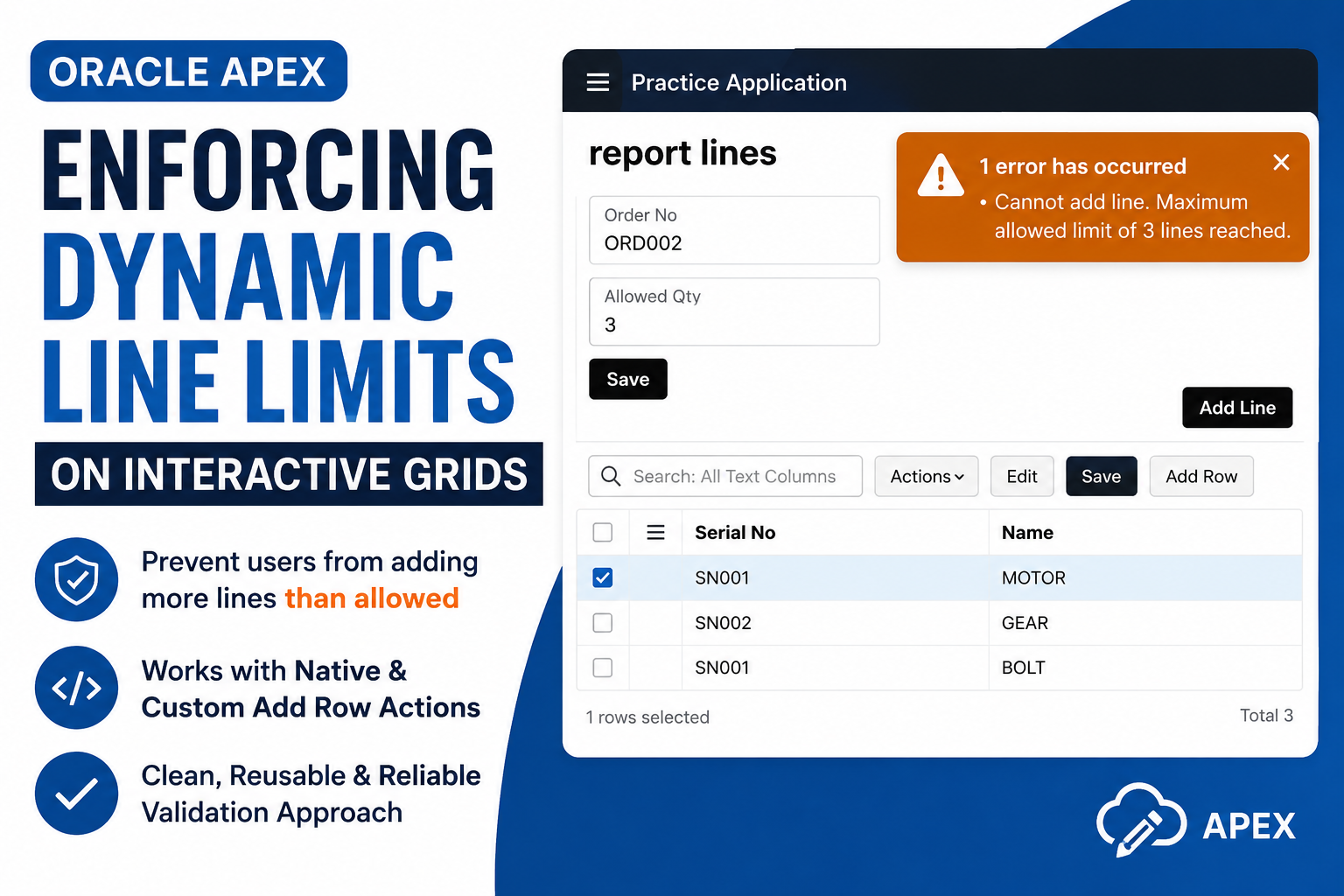
Enforcing Dynamic Line Limits on APEX Interactive Grids
Introduction When building transactional forms in Oracle APEX—such as sales orders, requisition lines, or booking forms—business logic often requires capping th…
ATS Apex application with Ollama hosted in Cloud Fare
Introduction/ Issue: This is a walkthrough of the mini project that was built end to end in Oracle APEX – an ATS Resume Builder. It takes a user through…
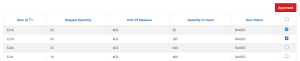
Enable a Button Based on Checkbox Selection in an Oracle APEX Classic Report
Introduction: In Oracle APEX applications, it is common to perform actions such as Approve, Delete, Issue, or Submit only after the user selects one or more rec…

Interactive Reports Just Got Smarter: APEX 26.1 Edition
Introduction/ Issue: Interactive Reports (IR) are one of the most commonly used components in Oracle APEX applications, giving users an easy way to search, filt…

Handling Unsaved Interactive Grid Changes Before Model Navigation in Oracle Apex
Introduction Interactive Grids (IG) are one of the most powerful components in Oracle APEX, allowing users to edit multiple records in a spreadsheet like interf…

Oracle APEX 26.1: Build Smarter Apps with Trigger Actions
Introduction/ Issue: In Oracle APEX 26.1, buttons, menu entries, and cards can now perform useful actions without relying on custom JavaScript or complex Dynami…

Dynamic Triggered Action in Cards – Oracle APEX 26.1
Introduction Anyone who’s built a Cards region in Oracle APEX has run into the same limitation. You can wire up an action on the Full Card, the Title, the Subti…

Adding Custom Link Attributes to Lists – Oracle APEX 26.1
Introduction Oracle APEX 26.1 introduces a small but powerful enhancement to List components: Custom Link Attributes. This feature allows developers to add HTML…
Preventing Duplicate Form Submission in Oracle APEX
Introduction / Issue One of the common issues encountered while developing Oracle APEX applications is duplicate form submission. Users may unintentionally clic…
UI Mistakes Oracle APEX Developers Should Avoid
Introduction / Issue Many Oracle APEX applications successfully meet business requirements but often overlook one critical aspect—the User Interface (UI) and Us…

Case for Switching to APEXlang in Oracle APEX 26.1
Introduction Every Oracle APEX developer has hit this wall: the app “lives” inside one sprawling SQL export. Reviewing a change, debugging with AI, or handing t…

Metric Card in Oracle APEX 26.1
Introduction Oracle APEX 26.1 brought in a new template component called the Metric Card, purpose built for KPI style dashboards. Until this release, if you wan…
Validate SQL Queries using PL/SQL Package
Introduction We built a dynamic reporting solution that allows end users to store and execute SQL queries with bind variables in Oracle APEX. While this approac…
Python-Powered API cost anomaly Guardrail with Oracle APEX PDF Engine
Introduction / Issue In cloud computing and serverless systems, there may be unexpected bursts of use, causing hidden cost overheads which are untracked. Guardr…
Oracle APEX – Dynamic Reporting
Introduction Users can store multiple SQL queries in a database table, and these queries may include bind variables. When an end user selects a query, the appli…
Map Region Enhancements In Oracle APEX: Vector Tiles & Bounding Box
Introduction / Issue Think of a delivery company trying to show ten thousand stops on a map, or a utility company mapping every pipeline in a city. It works fin…

Adding Multi-Level Column Headers to an Oracle APEX Classic Report Using JavaScript
Introduction: Oracle APEX Classic Reports provide a single row of column headers by default. However, in some business scenarios, it is necessary to group relat…
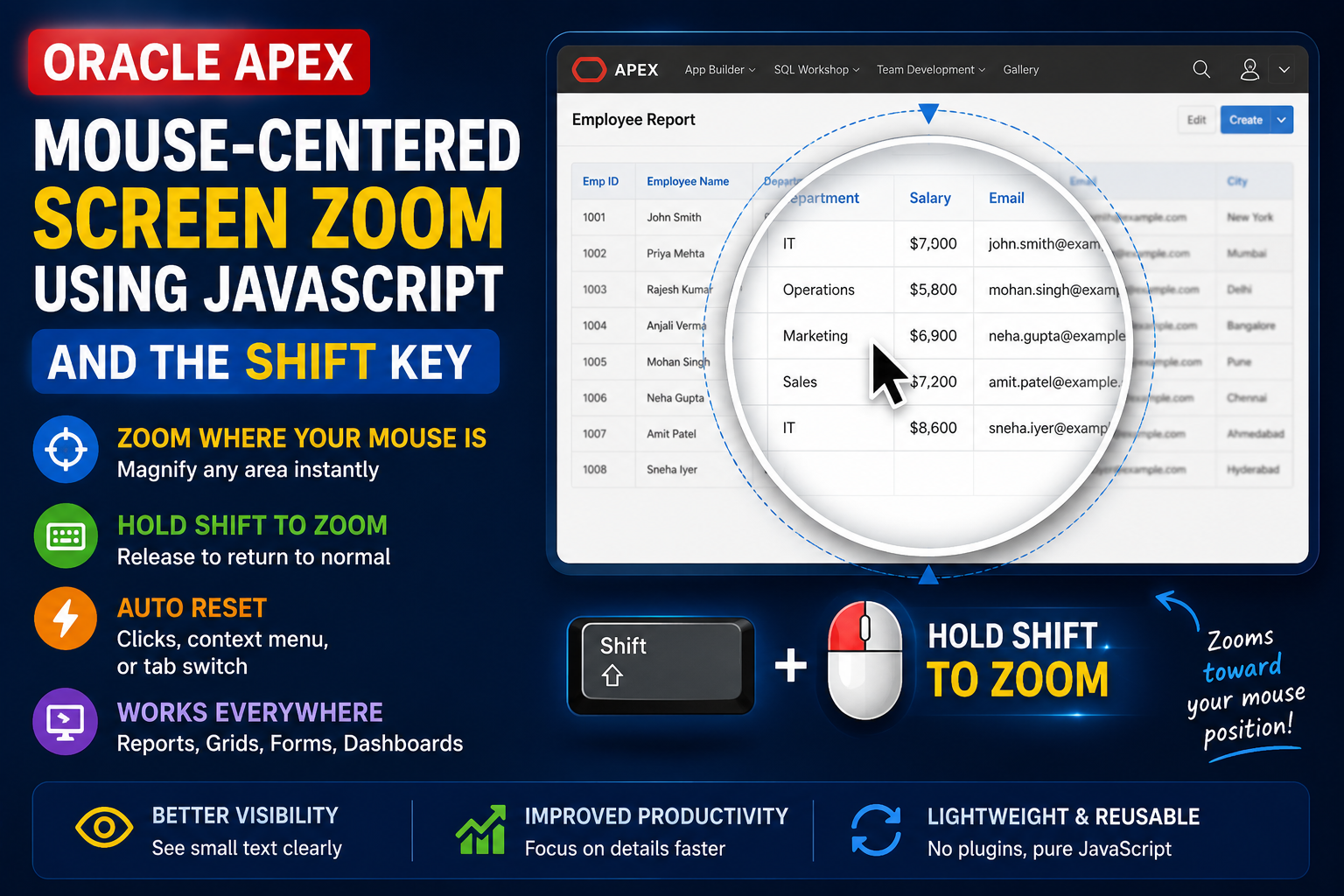
Implementing Mouse-Centered Screen Zoom Using the Shift Key with JavaScript in Oracle APEX
Introduction Oracle APEX applications often display large amounts of data in Interactive Reports, Interactive Grids, dashboards, and forms. When users need to i…

Highlight Important Dates in Oracle APEX Modal Dialog Date Picker Using JavaScript
Highlight Important Dates in Oracle APEX Modal Dialog Date Picker Using JavaScript Introduction Oracle APEX provides a built-in Date Picker component that makes…
Excel-Like Auto-Increment Fill in Oracle APEX Interactive Grid
Introduction: Oracle APEX Interactive Grid allows users to drag and fill values across rows. However, by default, dragging a numeric value simply copies the sam…

Building a Screen and Webcam Recorder Inside Oracle APEX
Introduction / Issue Oracle APEX applications often need a way to capture a tutorial, a support issue, or a walkthrough directly from the browser, with the pres…

Excel-Style Keyboard Shortcuts in Oracle APEX Interactive Grid
Introduction / Issue Users working in an editable Oracle APEX Interactive Grid have to reach for the mouse for routine actions such as adding a row, deleting a…
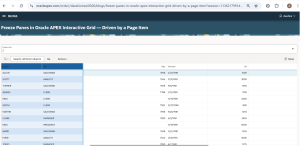
Freeze Panes in Oracle APEX Interactive Grid — Driven by a Page Item
Introduction Oracle APEX provides a built-in Show AI Assistant dynamic action to quickly add AI-powered chat capabilities to applications. This document demonst…

Stamping a Watermark Across an Oracle APEX Page
Introduction/ Issue: In Oracle APEX, application pages and reports may contain sensitive or confidential information that should be clearly identified when view…
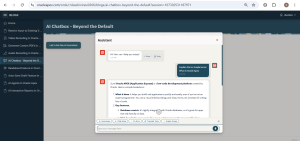
AI Chatbox – Beyond the Default in Oracle APEX
Introduction Oracle APEX provides a built-in Show AI Assistant dynamic action to quickly add AI-powered chat capabilities to applications. This document demonst…
Integrating Oracle EBS with Oracle Apex
Introduction / Issue Organizations often develop custom applications in Oracle APEX to extend the functionality of Oracle E-Business Suite (EBS). However, one c…
Installing DBMS_CLOUD on 19c
Description DBMS_CLOUD is the Oracle package that lets the database connect to cloud object storage (OCI, Amazon S3, Azure Blob Storage) to create credentials,…
Installation and Configuration of Apex 26.1 in Oracle 26AI Database
Introduction: Oracle APEX is Oracle’s low-code development platform that enables developers to build secure, scalable, and enterprise-grade web applications wit…
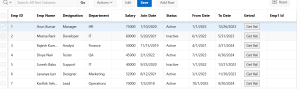
Custom Button-Driven Data Refresh in Oracle APEX Interactive Grid
Introduction: – This document explains the process of creating a custom button inside an Interactive Grid (IG) and dynamically setting the value of another colu…

Modify Interactive Grid Column Header at Runtime in Oracle APEX
Introduction: – This document explains how to dynamically change column labels on page load for an Interactive Grid (IG) in Oracle APEX using JavaScript. This a…
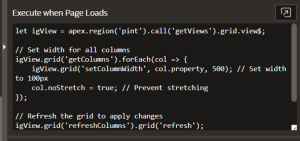
Adjusting Interactive Grid Column Widths Dynamically in Oracle APEX using Javascript
Introduction: – Interactive Grids are widely used to display and manage large volumes of data efficiently. However, one common challenge users face is handling…

Dynamically Highlighting Columns in Oracle APEX Interactive Grids
Introduction: Oracle APEX Interactive Grids are one of the most powerful components for displaying and managing large volumes of data within an application. The…

Edit-Safe Smart Form Alerts in Oracle APEX: Highlight Changes and Confirm Before Save
Introduction In many Oracle APEX applications, users edit critical data through forms. However, standard forms do not provide clear feedback about what fields w…

Custom Process Progress Bar in Oracle APEX
Introduction Oracle APEX provides several standard components for tracking progress, but they are mostly percentage-based. In applications where a batch or job…
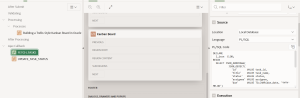
Kanban Board Implementation in Oracle APEX
Kanban Board Implementation in Oracle APEX Introduction This document explains how to build a dynamic Kanban Board in Oracle APEX using JavaScript, SortableJS,…
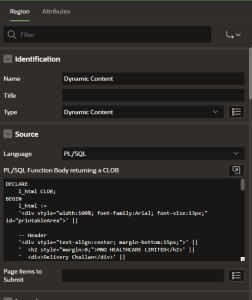
Dynamic Printable PDF Document in Oracle APEX
Dynamic Printable PDF Document in Oracle APEX Introduction In this document, we demonstrate how to create a dynamic printable document in Oracle APEX using a Dy…
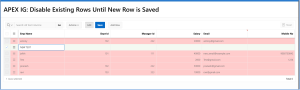
How to Disable Existing Rows in an Oracle APEX Interactive Grid Until a New Row Is Saved
Introduction In Oracle APEX Interactive Grids, users often add a new row while other existing rows are still editable. This can lead to accidental clicks, unint…

Oracle APEX Hack: Move Aggregate Row And Display Column Totals on Top
Introduction In Oracle APEX Interactive Reports (IR), aggregate values such as SUM or AVG are always displayed at the bottom of the report. For reports with man…

Recently Visited Pages Navigation in APEX
Introduction:- To improve user experience in Oracle APEX by implementing a Recently Visited Pages dashboard. By using APEX activity logs, it demonstrates how to…

Reusable Character Counter for Text Fields in Oracle APEX
Introduction:- This blog explains how to implement a reusable character counter for normal text fields in Oracle APEX, similar to the built-in character counter…
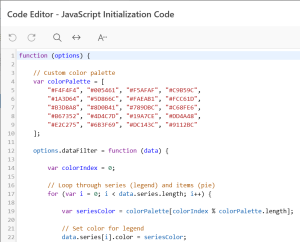
Enhancing Oracle APEX Pie Charts with Custom Colors and 3D Effects
INTRODUCTION: In Oracle APEX 19.2, Pie charts are widely used to visualize proportional data. However, the default 2D Pie chart sometimes lacks visual depth, es…
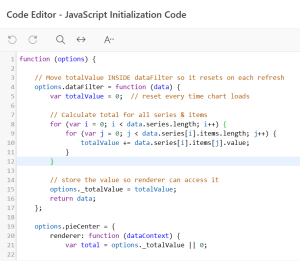
Enhancing Oracle APEX Donut Charts with Center Total Using JavaScript
INTRODUCTION: In Oracle APEX 19.2, Donut charts are commonly used to represent proportional data in a visually appealing way. While the chart effectively displa…

Image Validation in Oracle APEX
Image Validation in Oracle APEX Introduction Oracle APEX provides a Image Upload page item that allows users to upload files easily. However, in real-time appli…

Video Recording in Oracle APEX
Video Recording in Oracle APEX Introduction:- Oracle APEX allows seamless integration of modern web technologies to enhance application capabilities. Thi…
ORDS Performance Tuning for APEX & REST Services
Introduction Oracle REST Data Services (ORDS) is the middleware layer that powers Oracle APEX, REST API s, and database-backed web services. While ORDS works ou…
Resolving JVM Startup Failures in Tomcat: Invalid Heap Size and Unsupported Class Version Errors
Introduction: Java-based middleware components such as Apache Tomcat and ORDS are highly dependent on correct JVM configuration. Misalignment between Java versi…

Restricting multiple sessions per user in Oracle APEX
Introduction: This document explains the implementation of Multiple Session Restriction in Oracle APEX applications. The objective of this solution is to ensure…
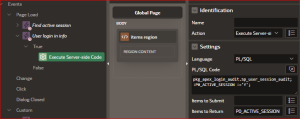
APEX USER LOGIN LOGOUT AUDIT
Introduction: This document explains the implementation of a Login and Logout Audit mechanism in Oracle APEX. The objective of this solution is to capture and t…
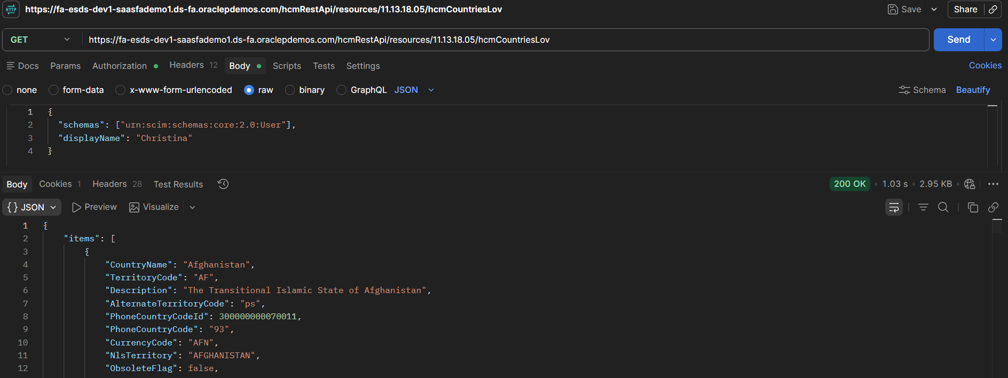
Creating a Wizard-Style Progress Bar in Oracle APEX
Introduction/ Issue: Multi-step forms are common in applications — onboarding flows, surveys, registrations, or wizards. But in Oracle APEX, when you build mult…
APEX & ORDS UPGRADE
Description: This document explains how we upgraded Oracle APEX, ORDS, and Java on the DBNAME database. It covers the checks and backups done before starting, t…

Enhancing Jasper Reports with Dynamic PDF Titles
Introduction: In many web applications that use JasperReports, the same JSP export logic serves multiple report templates (.jrxml files). Each report may repres…

Changing Interactive Grid Headings Dynamically in APEX
Introduction: In Oracle APEX, Interactive Grids often display fixed column headings, which may not suit scenarios where data is time-bound or varies with user i…
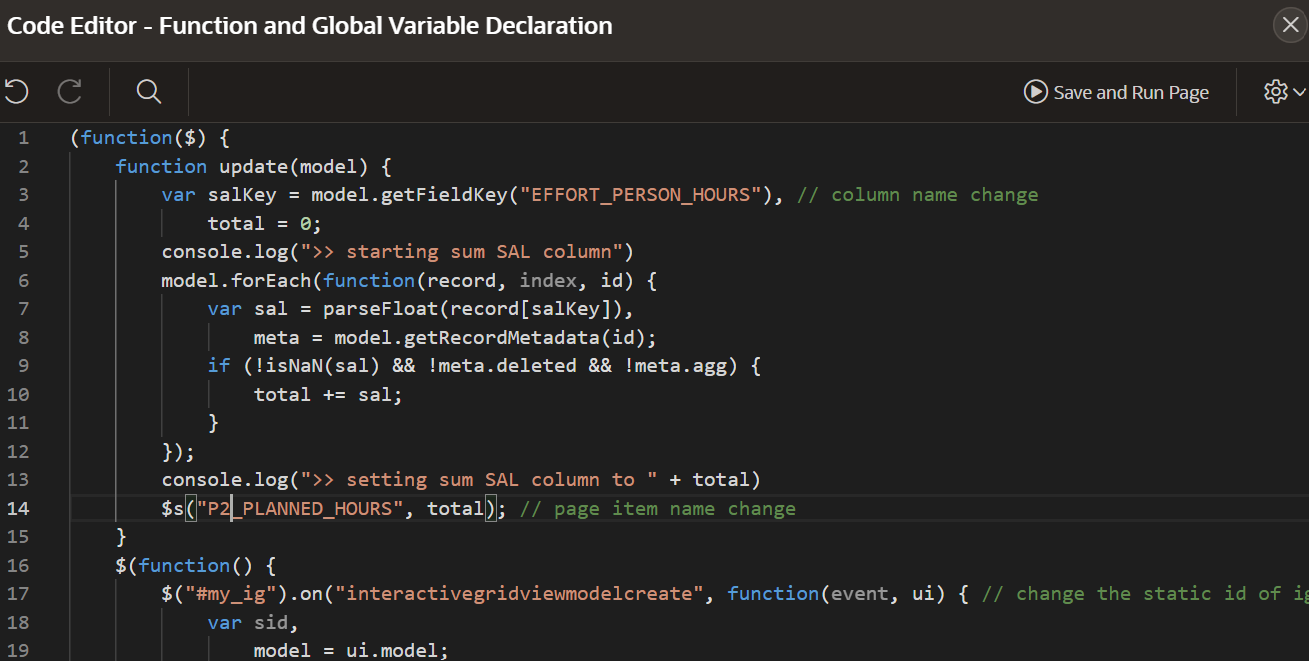
Dynamic Row-Wise Validation Across Two Interactive Grids in APEX
Introduction : Interactive Grids in Oracle APEX are a powerful feature for managing and editing tabular data within applications. However, when it comes to dyna…

Single Date Range Picker In Oracle APEX Using JavaScript
Introduction : In many Oracle APEX applications, date selection is a common task — whether it’s filtering reports, exporting data, or running analytics. Traditi…

Display Report Execution Time with #TIMING# in Oracle APEX
Introduction/ Issue: The *TIMING# substitution variable represents the elapsed time (in seconds) taken to render a region, including the time to fetch data and…

Displaying Counts in APEX Navigation Menu in Oracle APEX
Introduction/ Issue: In Oracle APEX, it’s possible to dynamically present the number of items—such as pending modules, unread messages, or active records—next t…

Build a Digital Signature Pad in Oracle APEX Using Only JavaScript & PL/SQL
Introduction: Capturing a user’s handwritten signature directly within an Oracle APEX application is a powerful way to streamline approvals, confirmations, and…
Implementing Row ID Capture into Page Items in Oracle APEX Interactive Grids
Introduction Capturing selected row IDs in Oracle APEX Interactive Grids is essential for many dynamic applications where developers must perform batch operatio…

Designing a Robust File Upload Architecture in Oracle APEX
Introduction Oracle APEX 24.2 has significantly evolved its file handling capabilities, supporting multiple file uploads, file type restrictions, and enhanced i…
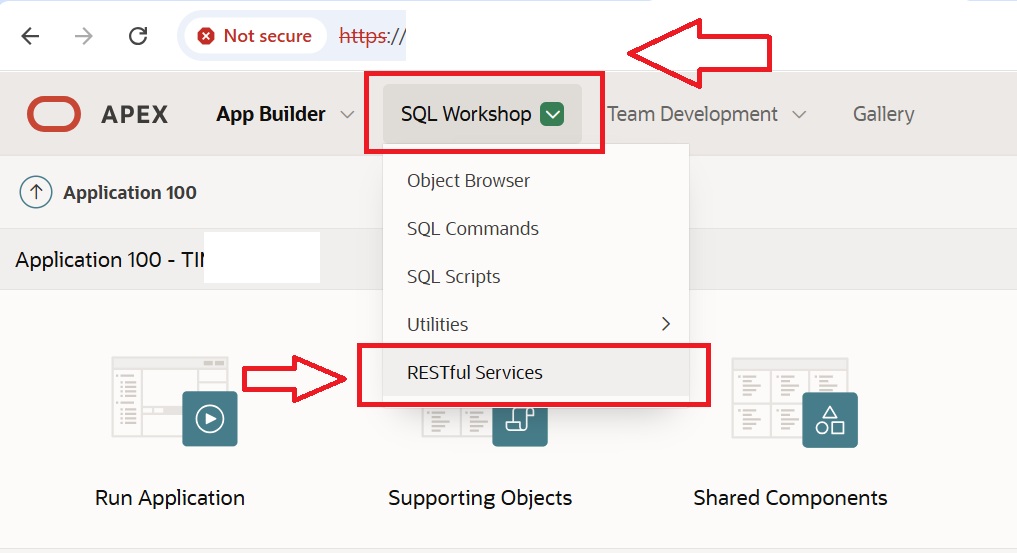
Creating API using ORDS Rest full services
Introduction: In modern web applications, RESTful APIs play a crucial role in enabling seamless communication between systems, applications, and services. Oracl…

Speech-to-Text in Oracle APEX – Voice Input Made Easy
Introduction: – In the modern digital age, enabling voice input is a great way to enhance user experience, especially for accessibility and convenience. With th…

Replicating Excel Copy and Fill Series in Oracle APEX Interactive Grid
Introduction: – In spreadsheet applications like Microsoft Excel, users can efficiently duplicate a cell’s value across adjacent cells within a column using dra…

Dynamically change the property of IG row selector based on condition in Oracle APEX
Introduction: – This document explains how to disable row selection for specific records in an Oracle APEX Interactive Grid based on a column value, and how to…

Voice Command Navigation in Oracle APEX
Introduction: – Voice technology is no longer just for virtual assistants like Alexa or Siri—it can now be used inside your Oracle APEX applications to provide…

Export Data to Excel Instantly in Oracle APEX Without Displaying Any Report
Introduction: – In Oracle APEX, exporting data to Excel is often tied to Interactive Reports or Grids, requiring the data to be displayed before download. But w…
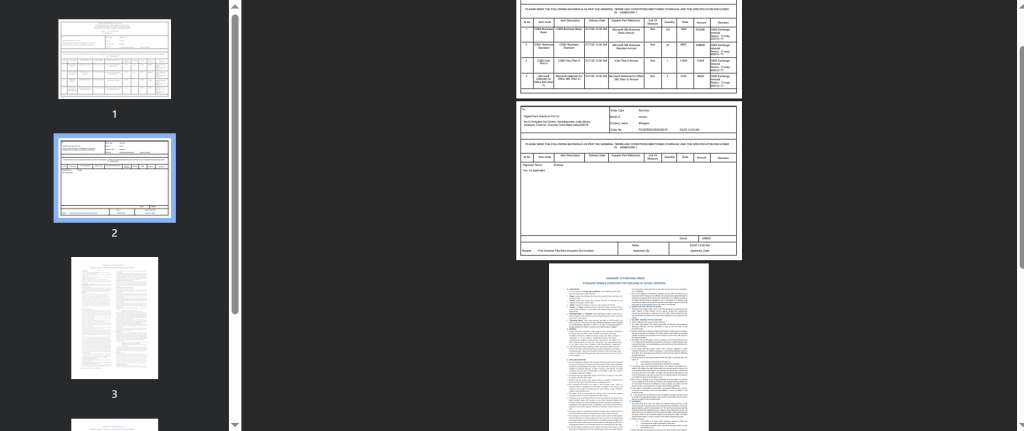
Merging JasperReports into a Single Document (PDF or More)
Introduction: – This document explains how to merge multiple JasperReports into a single PDF or another output format using Java. The following technologies hav…

Designing AOP Templates: Single Header and Multi-Row Detail Records using SQL and Oracle APEX
Introduction: – This document explains how to create an SQL-based data source for an AOP template that includes a single-value header followed by multi-row deta…

Capture the Entire APEX Page: Full-Page Screenshot
Introduction Taking screenshots is a common need during development, testing, or documentation in Oracle APEX applications. While partial screen captures are ea…
Migrating ORDS 24.1 from Standalone to Tomcat Deployment
Introduction This blog explains how to convert a standalone ORDS 24.1 deployment (using the embedded Jetty server) to a Tomcat 9-based deployment. Deploying ORD…
Managing ORDS Credentials in Wallet Using Oracle Secret Store Tool
Introduction: In some cases, while configuring or updating Oracle REST Data Services (ORDS), you may need to manage credentials stored in the Oracle Wallet. Thi…
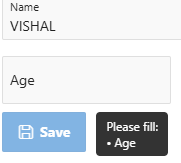
Disable Save Button Until All Required Fields Are Filled – Tool-tip
Introduction: In Oracle APEX forms, ensuring users complete all required fields before submission is essential for maintaining data quality. Instead of interrup…

Freezing Header & Column in Oracle APEX Interactive Report
Introduction: In Oracle APEX Interactive Reports (IRRs), dealing with wide datasets often means excessive horizontal and vertical scrolling. This can cause user…

Disable Clickable Links in APEX Reports with Conditional Tool-tips
Introduction: In certain Oracle APEX applications, we may want to conditionally render links in an Interactive Grid (IG) column. For instance, if a user selects…

Card-Style Dashboard with Task Counts and Status Indicators in Oracle APEX 19.2
Introduction: Oracle APEX introduced a built-in “Cards” region type in later versions, but in version 19.2, there’s no direct option to create dashboard cards o…

Restrict Input to Existing Values in a Specific Column of APEX Interactive Grid
Introduction:- When working with Interactive Grids in Oracle APEX, it’s often important to ensure that users select valid and consistent values—especially for k…

Creating Custom PDFs Using jsPDF in Apex
Introduction:- Creating downloadable PDFs directly from our Oracle APEX application can significantly enhance the user experience—especially for generating repo…

Interactive Grid Save Validation Based on Column Comparison Using Java script
Introduction:- In Oracle APEX, data integrity is crucial when working with Interactive Grids (IG).To enforce business rules at the row level, validations can be…

Dynamically Setting APEX Logo Based on Logged-In User
Introduction:- In Oracle APEX applications, enhancing user experience through personally is a key aspect of modern UI design. One effective way to achieve this…
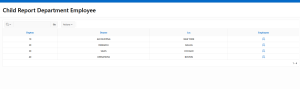
Implementing Inline Child Reports in Oracle APEX Interactive Reports
Introduction/ Issue: In Oracle APEX, users often need to display additional details related to a record without navigating to a new page. This can be achieved b…
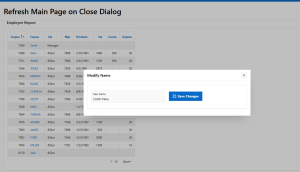
Refresh Main Page on Dialog Close Using JavaScript in Oracle APEX
Introduction/ Issue: When working with Oracle APEX, it is common to open a modal dialog for updating records. Once the update is completed and the dialog is clo…
Using UTL_MATCH for Fuzzy Search in Oracle APEX
Introduction Oracle APEX applications often require efficient search functionality. However, traditional SQL LIKE searches do not handle typos or similar words…
Oracle PLSQL to Generate XML Tag Using Standard Functionality
declare l_ctx dbms_xmlquery.ctxHandle; l_clob clob; begin l_ctx := dbms_xmlquery.newContext(‘select * from <TABLE_NAME>’); dbms_lob.createtemporary(:g_clob,true…
Dynamic JSON Storage in Oracle APEX Forms
Introduction Oracle APEX applications often require storing complex, structured data in a flexible way. Instead of creating multiple tables for dynamic data str…

Enhancing User Experience with a Custom Loading Page in Oracle APEX
Introduction: – User experience (UX) plays a crucial role in modern web applications. A smooth and intuitive interface keeps users engaged and improves usabilit…
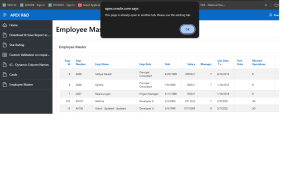
Preventing Duplicate Tabs in Oracle APEX Using JavaScript
Introduction: – In modern web applications, users often open multiple tabs of the same page, which can lead to session conflicts, unexpected behavior, or data i…
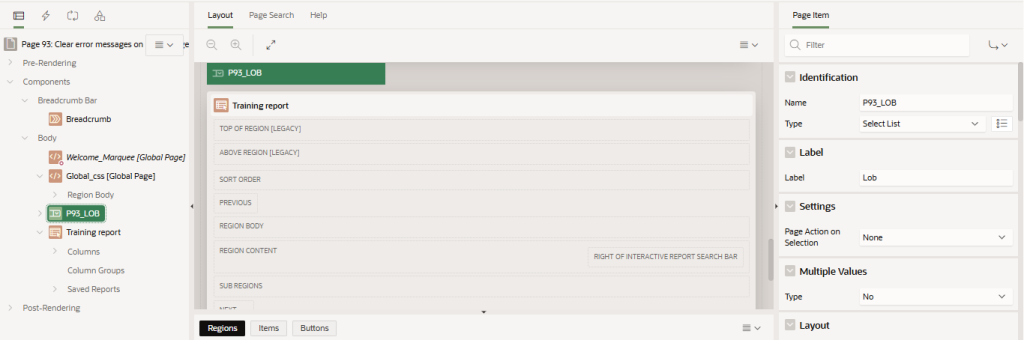
Hierarchical iframe clear error notification popup in Oracle APEX
Introduction: – This document is about how to hierarchical iframe error message clearance in Oracle APEX. When working with Oracle APEX applications, especially…
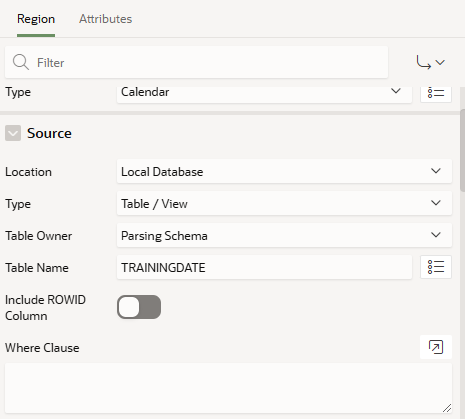
How to customize calendar using APEX API in Oracle APEX
Introduction: – This document is about how to customize calendar using APEX API in Oracle APEX. FullCalendar5 is a powerful JavaScript library for displaying an…

Seamless Navigation Between Oracle APEX Applications
Introduction:– In Oracle APEX, seamless navigation between two applications without requiring users to log in again enhances user experience and efficiency. Thi…

To Wrap Heading and Column Text in Oracle APEX Interactive Grid
Introduction: In Oracle APEX, when dealing with dynamic or lengthy data, the default behavior of column headers and cell contents may not always provide the bes…

Disable Right-Click and Shortcut Keys in Oracle APEX
Introduction: In Oracle APEX, restricting right-click and shortcut keys can improve security and control user interactions. Disabling these features prevents un…

Interactive Grid Row Validation in Oracle APEX
Introduction:- In Oracle APEX, ensuring all rows in an Interactive Grid are filled is crucial for maintaining data integrity and preventing incomplete submissio…
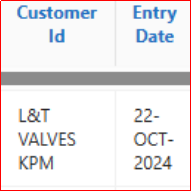
Stretch selective column widths in interactive report Using JS
Introduction: Interactive reports are useful tools in web applications that allow users to view and interact with data. Sometimes, the default column widths in…

Highlight row based on two values conditionally using Js
Introduction: This project demonstrates a simple yet effective way to enhance the user experience on web pages by highlighting specific rows in an HTML table ba…

Fetching Selected Values from Oracle APEX IG Report
Introduction: – In Oracle APEX, the Interactive Grid (IG) is a powerful component that allows users to interact with and manage data dynamically. One common req…
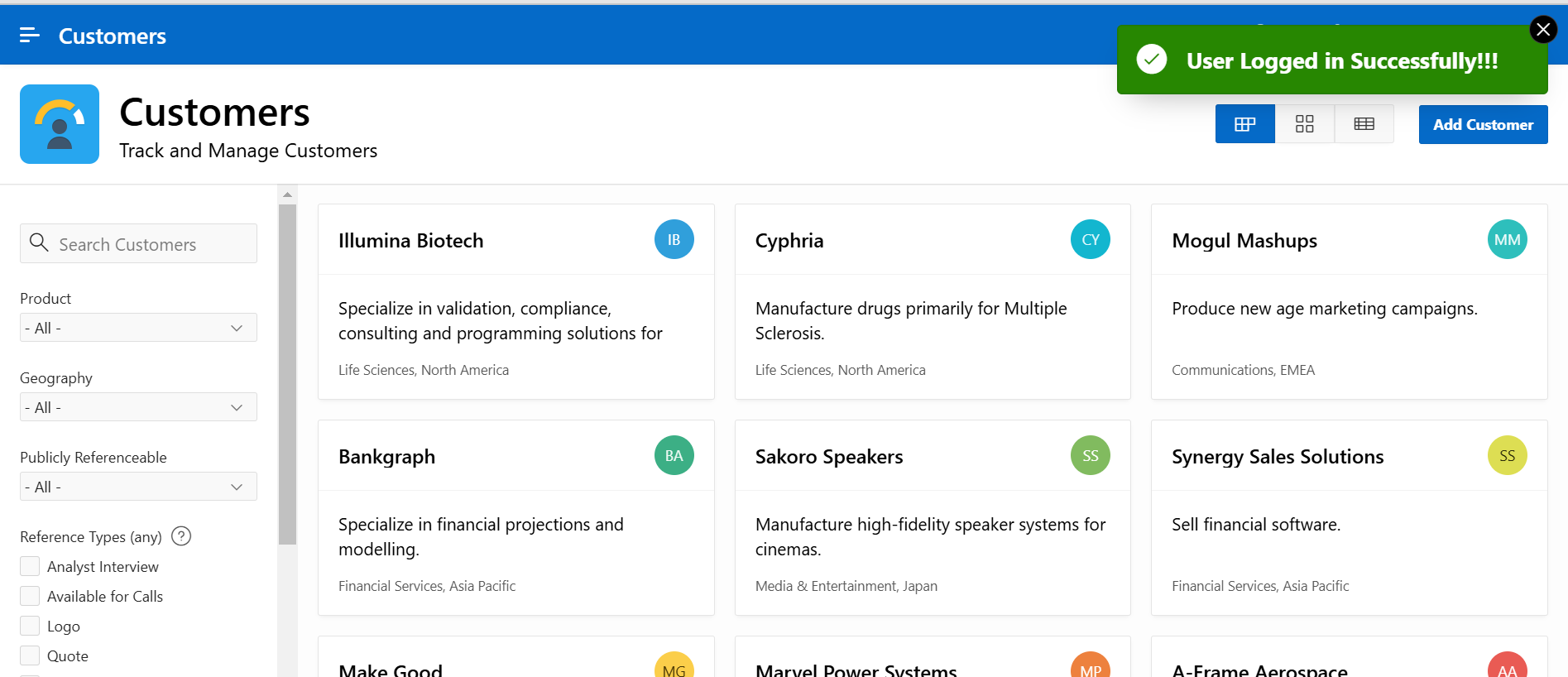
Verify users from LDAP Directory
Introduction: – This document will be helpful to verify users from LDAP directory. I had a situation to users is exists in LDAP Directory or not then I need to…
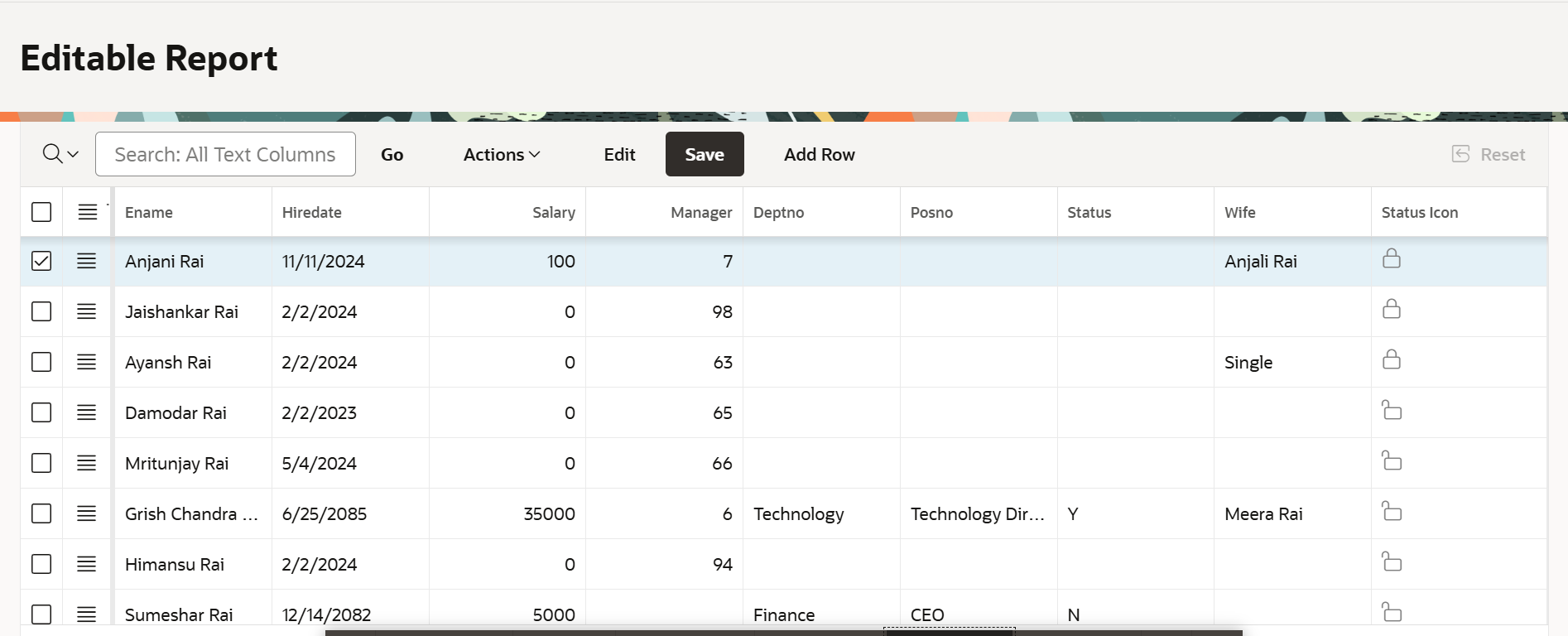
Interactive Grid : Lock/ Unlock Rows
Introduction: – This document provides guidance on Interactive Grid : Lock/ Unlock Rows. A common scenario involves if You want to create an Interactive Grid wh…

Dynamically Making Fields Mandatory Based on Conditions
Introduction: – In Oracle APEX, making fields dynamically mandatory based on conditions enhances form usability and ensures data accuracy. This functionality al…

Dynamic Inline Help
Introduction:- Inline help is an effective way to provide users with additional guidance directly beneath the field it pertains to. In this blog, I will explain…

Using Control Break in Oracle APEX to Fix the Scroll-bar in an Interactive Report
Introduction: – Oracle APEX provides robust support for translating applications into different languages, ensuring they cater to users worldwide. By leveraging…

Translating Oracle APEX Applications into Different Languages
Introduction: – In Oracle APEX, managing large datasets in an Interactive Report can sometimes lead to usability challenges, especially when dealing with horizo…

Dynamic Selection with Multiple APEX_ITEM Types in a Single Column and Real-Time Display in Another Column Using JavaScript in Classic Report
Introduction: – In Oracle APEX, a Classic Report offers a powerful way to display data in a tabular format. However, there are scenarios where dynamic interacti…
Automatically disappear the success message based on a condition
Introduction: – In Oracle APEX applications, success messages play a vital role in providing feedback to users about the successful completion of actions or pro…

Summing Column Values in Interactive Grids with PL/SQL
Introduction: Interactive Grids (IG) in Oracle APEX offer a powerful and versatile way to interact with data. Sometimes, business requirements demand dynamic ca…

Adding Pull Down Refresh Functionality in Oracle APEX Applications
Introduction: Refreshing a page is a common requirement in any application. In desktop environments, users often rely on browser controls or explicit refresh bu…

Enabling Copy to Clipboard Functionality in Oracle APEX Interactive Reports
Introduction: – Enabling the “Copy to Clipboard” functionality in Oracle APEX Interactive Reports allows users to easily copy and share data directly from the r…

Preventing Duplicate Success Messages After Page Reload in Oracle APEX using JavaScript
Introduction:- In Oracle APEX (Application Express), preventing duplicate success messages after a page reload is crucial for delivering a smooth and user-frien…

Responsive Screen Size Management in Oracle APEX
Introduction: – Responsive screen size management in Oracle APEX is essential for delivering an optimal user experience across various devices. With increasing…

How to download data from table in text format in Oracle APEX
Introduction: – This document is about how to download data from the table in text format using PL/SQL in Oracle APEX. The following technologies have been used…

Dynamic Styling for Pending Status Using JavaScript
Introduction: – In enquiry, engineering and quality assurance processes, keeping track of pending tasks is crucial for timely project completion. The ability to…
Enhancing Oracle APEX Cards: Custom Styling and Functional Email Integration
Introduction: – In the modern era of web applications, designing a visually appealing and interactive user interface is crucial. One such element that adds eleg…

How to customize JET chart using APEX_API in Oracle APEX
Introduction: – This document is about how to customize JET charts using APEX_API in Oracle APEX. Oracle JET (JavaScript Extension Toolkit) is an open-source Ja…
Oracle REST Data Services (ORDS) 24.2 Installation on Linux Server
Introduction Starting from ORDS 22.1, the installation process has changed. Instead of running the ords.war file directly, the ords script located in the…
Oracle APEX: Handling URL Changes
Introduction Recently, our team migrated the server from an Oracle T8 to an M8 server. As a result, the Oracle APEX URL changed from: https://test.com:8080/ords…
TOSCA automation can overcome the limitations of manual testing in fast-paced software development, ensuring efficiency, scalability, and consistent quality.
Introduction/Issue: It’s important to ensure effective and consistent testing in today’s fast-paced software development environment. Traditional manual testing…
Revolutionizing Test Automation with TOSCA Copilot: Efficiency, Scalability, and Quality
Introduction/Issue: Tosca Copilot enhances productivity by optimizing test portfolios, explaining complex test cases, and providing actionable execution insight…

Using Debug Mode to Troubleshoot Issues in Oracle APEX
Introduction/Issue While working with Oracle APEX, developers often encounter issues where the application does not behave as expected. These issues can range f…
ORDS 500 Internal Server Error by Granting APEX Privileges
Introduction / Issue: While accessing the UAT Oracle APEX application, users encountered a 500 Internal Server Error. This error typically indicates that there…

Integrating a Custom Page Limit Control in the Oracle APEX Interactive Grid
Introduction Oracle APEX Interactive Grids offer a versatile way to manage and display data, but sometimes the default configuration might not fully meet your a…
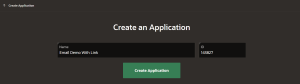
How to Include a link in an email to an oracle apex application?
Introduction Sending emails that contain actionable links directly into an Oracle APEX application is a powerful way to engage users. Whether it’s for tracking…

Handling Dynamic Links in Tosca
Title: Handling Dynamic Links in Tosca Introduction/ Issue: In test automation with Tosca, one common challenge is handling dynamic links—those that change base…
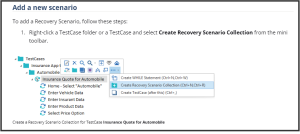
TOSCA Exception Handling
Title: TOSCA Exception Handling: Ensuring Reliable Test Automation Introduction/ Issue: In the world of test automation, unexpected errors and exceptions are in…

Automating Failure Notifications in Selenium Using Listeners and Internal issue tracker API Integration
Introduction/ Issue: Automating test failure notifications in Selenium is essential for timely communication with stakeholders, avoiding delays common in manual…
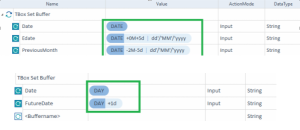
Dynamic Date selection from Calendar on Tosca Automation
Introduction/ Issue: Automating date selection in test cases can be challenging, especially when dealing with dynamic dates. Why we need to do / Cause of the is…

Working with Oracle APEX Tree Region: Capturing Selected Node Values
Introduction Oracle APEX Tree Regions are excellent for displaying hierarchical data like employee-manager relationships. In this blog post, we’ll explore how t…

Dynamically Update Interactive Grid Header in Oracle APEX
Introduction Oracle APEX offers powerful tools to create interactive, dynamic applications. One common requirement is to update the header of an Interactive Gri…

Custom footer in Oracle APEX
1. Introduction/ Issue: Creating a custom footer in Oracle Application Express (APEX) is a valuable skill for enhancing the look and feel of your applications.…
Extracting user and roles information from fusion
1. Introduction / Issue In Oracle Fusion, managing user roles and permissions is crucial for maintaining security and ensuring that users have the appropriate a…

Steps to Enable the Trace/Debug for An Apex Session
Introduction: In this blog, we will walk through the process of enabling debug logging and tracing in Oracle APEX applications. Debug logging and tracing are es…
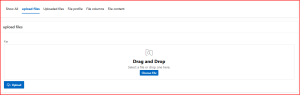
Accelerating Data Uploads with APEX_DATA_PARSER in Oracle APEX
Introduction: APEX_DATA_PARSER is a feature in Oracle APEX (Application Express) that simplifies the process of uploading and parsing files in a web application…
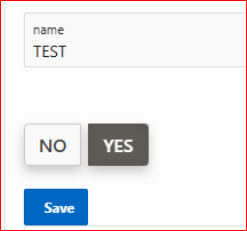
Enhancing User Interface with Custom Tabbed Navigation Using Radio Buttons
Introduction: Turning a radio group into something that looks like tabs.To make a radio group look like tabs, you would typically style the radio buttons and th…
In Oracle APEX Classic Reports, Managing Checkbox Interactions using JavaScript
Introduction:- Oracle APEX provides a powerful platform for building web applications, and managing user interactions within Classic Reports is a common require…

Configuring Dynamic Search Field Behavior in Oracle APEX Interactive Grid Based on Previous Page Inputs
1. Introduction:- In Oracle APEX (Application Express), configuring dynamic search field behavior in an Interactive Grid (IG) based on inputs from a previous pa…

Visualizing Time-Series Data with Event Drop Charts in Oracle APEX
Introduction:- In Oracle APEX, Event Drop Charts provide a powerful way to monitor and analyze events occurring over time, making it easier to identify patterns…
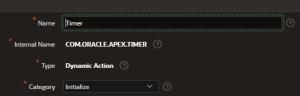
How to create a Plugin to Refresh Report Using Timer and Dynamic Actions
1. Overview This document provides a comprehensive guide on creating a plugin to refresh a report using a timer and dynamic actions. The tutorial is divided int…

Elevate Your Oracle APEX UI with Card Zoom and Hover Effects Using Tailwind CSS
Introduction: Enhancing the user experience is pivotal in modern web applications. In Oracle APEX, implementing intuitive and engaging UI elements can significa…
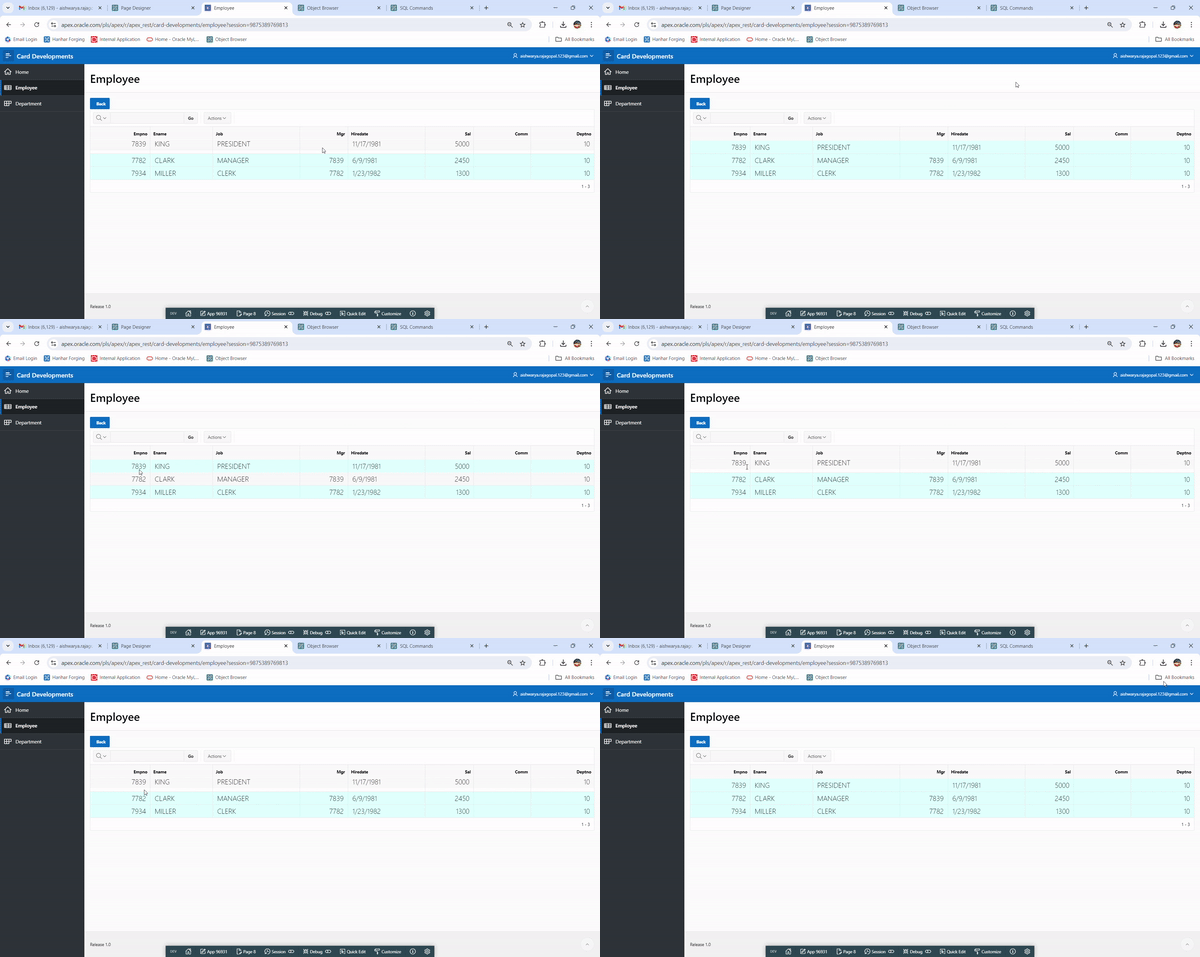
Enhancing Oracle APEX Interactive Reports with Hover and Zooming Effects
Introduction: Interactive reports are a cornerstone of Oracle APEX applications, allowing users to explore data dynamically. However, adding visual flair can ma…
Enhancing UX: Add Rows at the Last Line of APEX Grids
Overview Enhancing the user experience by allowing users to insert rows at the end of an Oracle APEX Interactive Grid improves usability and efficiency by provi…
Go to the same row in interactive grid report when back from other page in Oracle Apex
1. Overview This document talks about selecting the same row in interactive grid report on change of pagination. This has been achieved using JavaScript. 2. Tec…
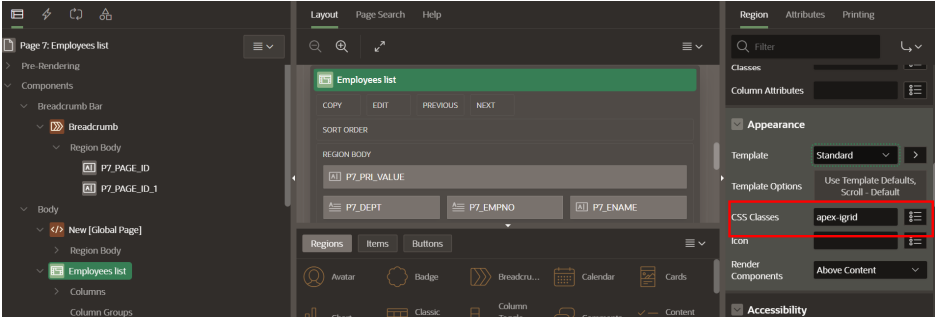
Top Horizontal Scroll bar On Interactive Grid Oracle APEX
1. Overview This document talks about Top Horizontal Scroll bar On Interactive Grid Oracle APEX. This has been achieved using CSS. 2. Technologies and Tools Use…
Creating Sequential Numbers in Oracle APEX Interactive Grids
Overview Oracle APEX Interactive Grids provide a powerful way to display and manipulate tabular data. One common requirement is to display sequential numbers fo…
Face Detection (Augmented Reality) in C# and APEX
Face Detection (Augmented Reality) in C# and APEX Table of Contents Introduction Technologies and Tools Used Steps Conclusion 1. Introduction Face Detection Aug…

Workspace login is not working
Issue: When user was trying to login Apex with workspace login, getting error like below. Solution: Need to login Apex as Admin user. Click on Manage Wor…
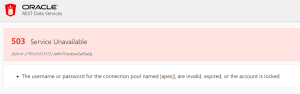
Error while accessing Apex URL
Issue: Getting 503 Service Unavailable error while trying to access Apex front end URL. The username or password for the connection pool named |apex||, are inva…

Quick Menu Navigation In APEX
1.Overview In Oracle APEX quick menu navigation is essential for creating a user-friendly and efficient application. Implement a quick search functionality to a…

Nested Reports in Oracle APEX
1. Overview The document will talk about nesting a report inside another report using the technologies like Oracle APEX, JavaScript, HTML. In Oracle APEX, embed…

Optimizing Workspace Security: Setting “Session Idle Timeout” URL in Oracle APEX
Introduction: In the realm of Oracle APEX administration, ensuring robust security measures is paramount. One crucial aspect is managing the session idle timeou…

Automating the APEX Installation Process
Introduction: Streamline your Oracle APEX installation with ease using a silent installation script. This blog explores a quick and efficient method for deployi…
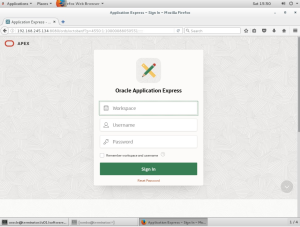
Apex, Tomcat, and ORDS Installation Automation using silent method
Apex, Tomcat, and ORDS Installation Automation using silent method Introduction: This document provides steps to easily install Apex, Tomcat, and ORDS on a Linu…
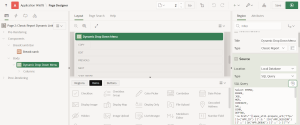
How to create a set of dynamic drop down link for classic report column.
Overview This document is about how to create set of dynamic drop down links for classic report column in oracle apex. Technologies and Tools Used The following…
Using A Gauge Chart To Display Data Dynamically
Overview In Oracle APEX, Utilizing a gauge chart is an effective means to dynamically display data in a visually intuitive manner. Gauge charts provide a concis…

To Capture Images In Oracle APEX Using Front & Rear Device Camera
Overview In Oracle APEX, Using the “To Capture Images In Oracle APEX Using Front & Rear Device Camera” form, you can snap pictures with your computer and submit…
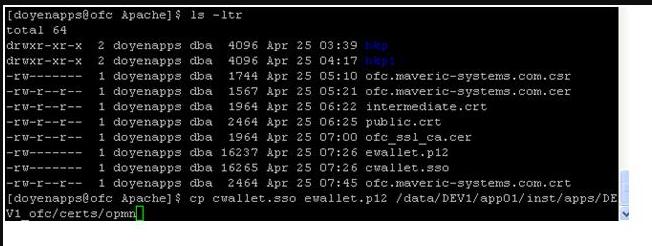
Optimizing Web Page Performance Through Interactive Grid Load More Rows Implementation
Overview In the realm of web development, achieving optimal page performance is a perpetual pursuit, particularly when dealing with large datasets displayed in…
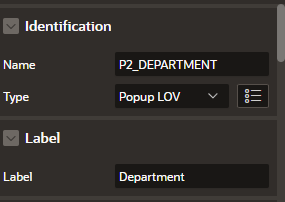
Implementing JavaScript Validation to Verify and Control the List of Values in a Popup LOV within Apex
Overview This document outlines the comprehensive procedure for implementing JavaScript validation to confirm and regulate the list of values in a Popup LOV (Li…

Changing Display Name in Oracle Apex Navigation Bar
Overview In Oracle APEX , the navigation bar is a component that allows users to navigate through different pages or components within an application. The navig…
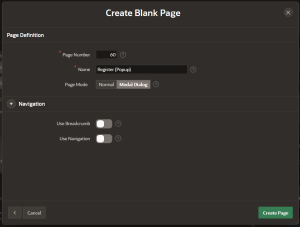
Redirecting to a popup screen using JavaScript With Parameters
Oracle APEX (Application Express) empowers developers to build robust web applications with ease. JavaScript, being an integral part of modern web development,…
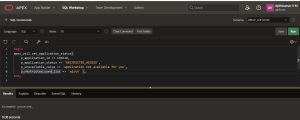
Oracle APEX Application Availability Using PL/SQL
Overview : The objective is to enhance Oracle APEX Application Availability through the implementation of PL/SQL code, ensuring uninterrupted and reliable opera…
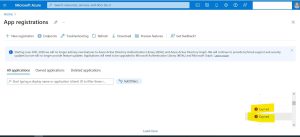
How to Handle Client Secret Expiry in Azure Authentication for Oracle APEX
Overview : The primary objective of this content is to guide users on how to handle client secret expiry in Azure Authentication for Oracle APEX. Specifically,…
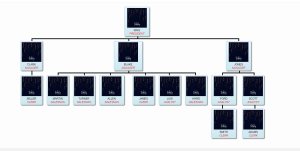
Interatcive Organizational Charts in Oracle APEX
Overview: This blog talks about organization charts in Oracle Apex using third-party libraries or plugins since Oracle APEX does not have a built-in organizatio…
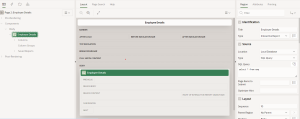
Virtual Private Database (VPD) in Oracle APEX for securing data access
Overview: This blog talks about VPD (Virtual Private Database) in Oracle Apex, a feature that helps address security concerns by restricting access to data at t…

Retrieving current row values of Interactive Grid in Apex using JavaScript
Accessing a value in the client side is important in any development. It will help the developer to do validations, setting value and other required changes in…

How to Add Validation Using Dynamic Action in Oracle Apex
Overview In Oracle Apex, The validation is used to validate the business logic on the submission of the page. Oracle Apex has different types of in-build valida…

How to download an Oracle Apex report with an HTML formatted column excluding HTML tags
Overview Oracle Apex has different types of reports. All reports have their default function it’s an advantage. Suppose you want to achieve some different funct…
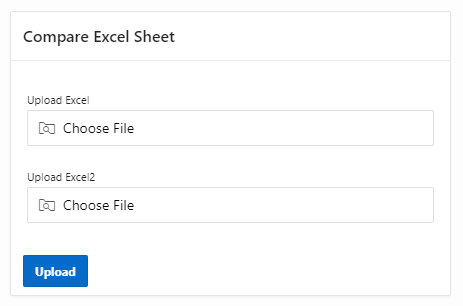
Compare Two Excel Files and send report as E-mail in Oracle Apex
1. Overview This document talks about Compare Two Excel Files with same column name and send report to E-mail in Oracle Apex. This has been achieved using Apex…
Focus on First editable Page item in Oracle Apex
1. Overview This document talks about Focus on first editable page item on page load. This has been achieved using SQL and JavaScript. 2. Technologies and Tools…
Oracle APEX Application – Set Availability Status Using PLSQL
Overview This blog will explains, how to disable the APEX application by end user during the release or it is under maintenance . Technologies and Tools Used Th…
ORA-20004:ERROR IN SENDING AN EMAIL IN APEX
ORA-20004: Error in sending an Email – You have exceeded the maximum number of email messages per workspace. Please contact your administrator. REASON: Actually…
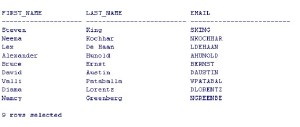
How to use a oracle stored procedure in jasper report.
Overview This document is about how to use a oracle stored procedure in jasper report. Technologies and Tools Used The following technologies have been used to…

How to display collapsible region title based on number of rows returned in an interactive report.
Overview This document is about how to display collapsible region title based on number of rows returned in an interactive report in oracle apex. Technologies a…
Extracting Data from Web page Using Automation Anywhere
Let’s talk about how to extract data from a website and store it in Excel using Automation Anywhere. Assume that we have to extract data frequently from a websi…
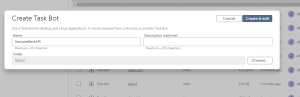
Calling REST API from Automation Anywhere
Assume that we have to integrate Automation Anywhere with REST API to exchange data between the applications. Here we are calling a Rest API from Automation Any…
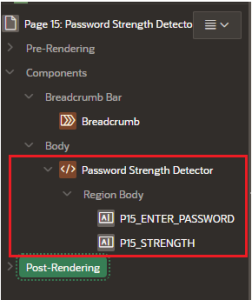
Password strength detector in Oracle Apex
1. Overview This document will explain about the detailed process involved in detecting password strength in Oracle APEX Using Java Script. 2. Technologies and…

Real Time Notification Display in Oracle APEX
1. Overview This document will explain about how to display real time notification to the users in Oracle Apex. 2. Technologies and Tools Used The following tec…

To display HTML text in Oracle Apex: Use Case of an Setting Alarm
1. Overview Setting an alarm in Oracle Apex using JavaScript allows us to add time-sensitive notifications or reminders to our web application. By utilizing Jav…

Add a customize print option in Oracle Apex using Java Script
1. Overview This document will explain the detailed process involved in Using Java Script, Oracle Apex’s print option can be customized. This special printing o…

Checking Aadhaar card format using Java Script
1. Overview This document will explain about the detailed process involved in Validating Aadhaar Card using JavaScript. This validation will automatically form…

Uploading Excel data into Tables without using Plugin
1. Overview This document will explain about Uploading Excel data into Tables without using Plugin. This helps us to load large quantity of data into the databa…
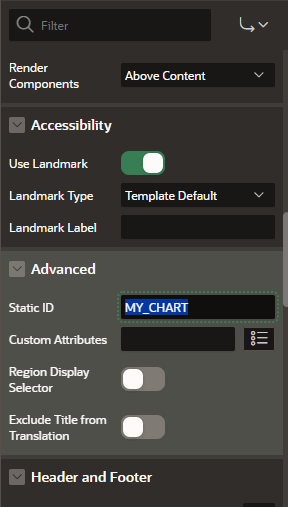
Download APEX Chart as IMAGE format using Java script
1. Overview This document will teach the details about how to Download APEX Chart as IMAGE format using java script in Oracle Apex. Question may rise why do we…
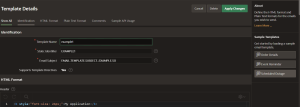
Appending Image to The Email using Email Template Feature in Oracle APEX
Overview This document talks about how to Customize your html tags to show your images inline in Email body using Email Template feature in Oracle Apex. Technol…
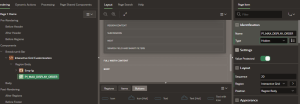
AutoNumber Generation for Serial Column without Sequence in Interactive grid using JavaScript
Overview This document talks about how to Customize Interactive Grid with Auto Populate Column value without Database sequence using JavaScript. Technologies an…
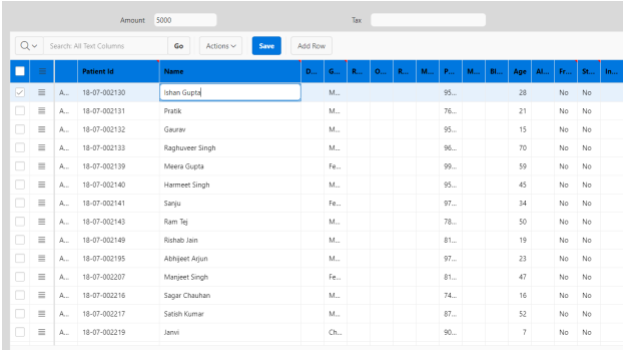
CUSTOM NAVIGATION FROM PAGE ITEM TO INTRECTIVE GRID COLUMN ON TAB PRESS
1. Overview This document will teach the details about how to Custom navigation from page item to Interactive grid specific column in Oracle Apex. Question may…
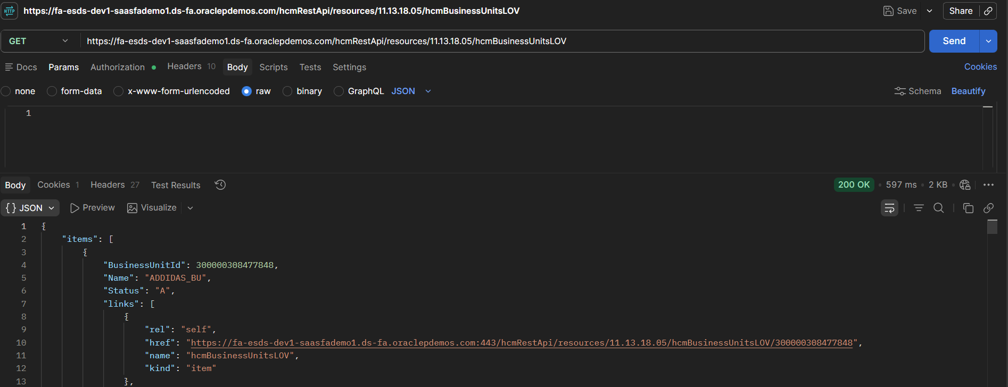
How to Use Server-Side Conditions for Interactive Grid Buttons in Oracle Apex
Overview Server-Side condition is the condition will execute at the time of page initialization. We can set the server-side condition to the page, region, item,…

Manage Backup in Oracle APEX
Overview The Purpose of the backup is to create a copy of data that can be recovered in the event of a primary data failure. Primary data failures can be the re…

Voice Recording in ORACLE APEX
Overview This overview outlines the steps to implement voice recording in Oracle APEX applications, including capturing audio from the user’s microphone, storin…

Push Notifications in ORACLE APEX
Overview Progressive Web Apps (PWAs) are web applications that utilize modern web technologies to deliver an app-like experience to users. PWAs are installable,…
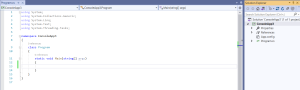
FileUtility Reusable Tool in C#
1. Overview The FileUtility tool is a reusable utility class designed to facilitate common file and directory operations in C# applications. It provides a set o…
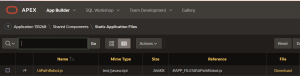
Calling UiPath Bot using Oracle Apex
Technologies and Tools Used The following technologies have been used to achieve the expected output. JavaScript Oracle Apex Uipath Use Case Assume that we have…

Building A Simple Mathematical Calculator In Oracle Apex
Table of Contents Overview Technologies and Tools Used Use Case Steps with Screenshot Conclusion 1. Overview This document will teach the details about h…

Methods to Achieve Control Break Option in Classic Report – Oracle Apex
Table of Contents Overview Technologies and Tools Used Use Case Steps with Screenshot Conclusion 1. Overview This document will teach the details about t…

How to Login with Number Captcha in Oracle Apex
Overview : It’s used to reprocess the Apex Login Page using Number Captcha. After the reprocessing The Login Page will ask the correct answer. If we enter the c…

To Create Dialog Page Drawer in Oracle Apex.
Table of Contents Contents Contents 2 Overview 3 Technologies and Tools Used 3 Use Case 3 Architecture 3 5.Conclusion6 1.Overview It is simple to combine the ap…

Packaging Data with your App Export in oracle Apex.
Table of Contents Contents Contents 2 Overview 3 Technologies and Tools Used 3 Use Case 3 Architecture 3 Conclusion.6 1.Overview The new data package of feature…

Download CSV from Interactive Report from Another Page
Overview : Using this we can download a CSV file from the interactive report by calling it from another page with parameters. It will directly download the CSV…
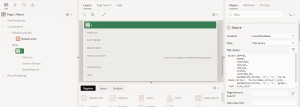
Display Icon Column in Interactive Report
Overview : This document talks about how to Display Icon Column in Interactive Report. Technologies & Tools used: Oracle Apex HTML Use Case : In Oracle a…
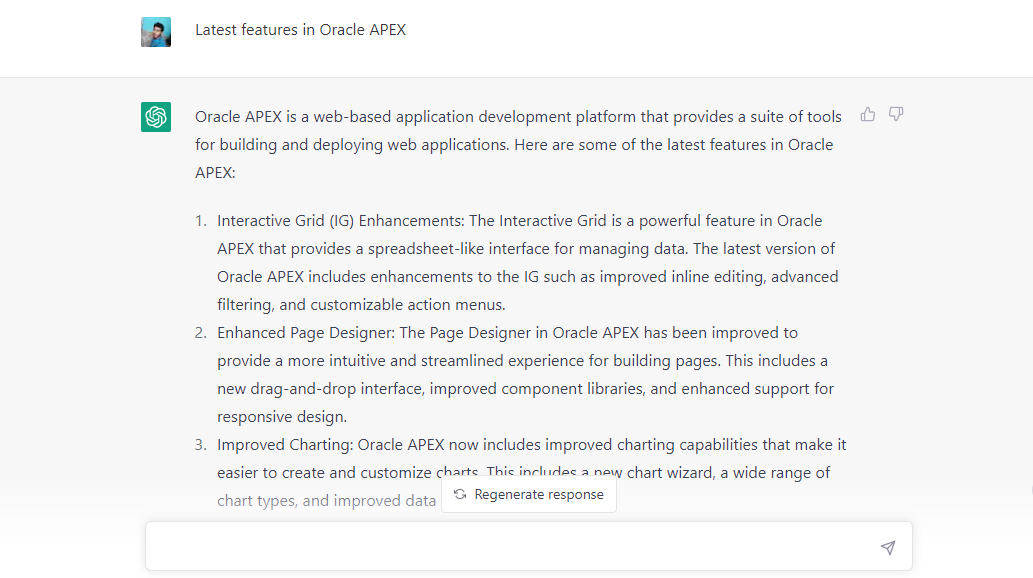
How to integrate Chat GPT in Oracle APEX
1. Overview This document talks about how we can integrate chat GPT in Oracle APEX, OpenAI created ChatGPT, an AI language model. It is a modified version of th…
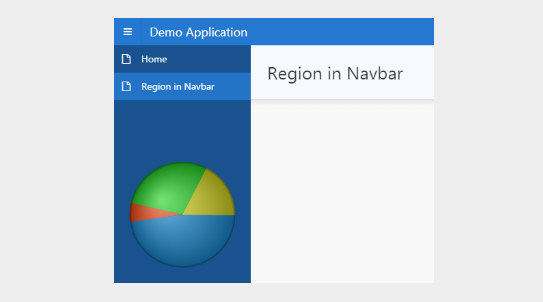
Oracle APEX- Display Regions in Side Navigation menu
1. Overview This document talks about how we can show the regions in side navigation menu in oracle apex application 2. Technologies and Tools Used The followin…

How to create and execute a bot using UI Path
What is RPA – Robotic Process Automation? RPA is software that can emulate actions typically performed by humans on a computer & can perform most of your repeti…
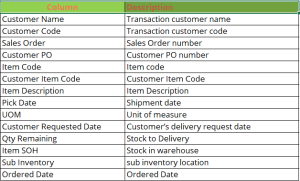
Sales Daily Pick Report
1.Overview This document talks about getting the sales daily stock pick report in oracle apps r12 2.Technologies and Tools Used The following technologies have…
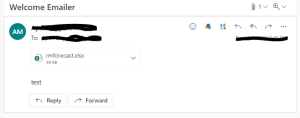
Generating an Excel file and Sending an Email using Oracle Apex
Overview : The process of generating an Excel file and sending it as an email attachment using PL/SQL packages in Oracle Apex is a powerful solution for automat…

Advanced Customization of LOV Items in Oracle Apex
Overview : Oracle Apex is a powerful platform for rapid application development that enables developers to create dynamic web applications effortlessly. The adv…

How to Display The Report Column Value as Bar code in Oracle Apex
Overview This document talks about how to display report column values as bar codes in Oracle Apex. this has been achieved using JavaScript. Technologies and To…

Bar Code Generator in Oracle Apex
Overview This document talks about generating bar code in Oracle Apex using input value and bar code type. this has been achieved using JavaScript. Technologies…
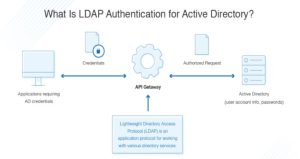
Lightweight Directory Access Protocol & Single Sign-On
1. Overview This document will explain about The Lightweight Directory Access Protocol which is one of the main authentication protocols developed for directory…

SQL Loader
Overview SQL Loader is a bulk loader utility to load data from a flat file to an Oracle Table. It is used for high performance data loading. 1. Technologies and…
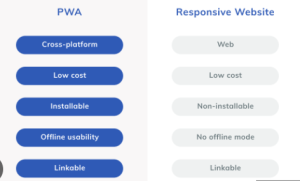
Progressive Web Application –Next Generation Mobile Application Development with Oracle Apex
Introduction: Progressive Web Applications are web apps that use service workers, manifests, and other web-platform features in combination with progressive enh…
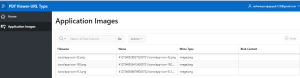
Display Image/PDF from BLOB in Interactive Grid using Oracle Apex URL Type Region
Introduction: For displaying the Blob content in the column in interactive grid, we don’t have a predefined column type for blob content display. This can be im…

How to Integrate Object Storage Unit in Oracle Apex Cloud
Overview Object Storage unit is a high-performance storage platform. It is ideal for storing an unlimited amount of unstructured data. Data is managed as object…
How to Recompile Invalid Schema Objects
When we are doing the operations like upgrades, patches, and DDL changes the associated schema objects will get invalid. So it is difficult to recompile all the…
Oracle APEX Page Item shuttle with filter
Introduction: Here is small tip how to create filter / search field for APEX shuttle item values. For this you need just place jQuery code to page JavaScript Fu…
Interactive Report Row Highlight Based on Application User
Introduction First create interactive report. In this example rows where manager name equals APP_USER value are highlighted. I have used following query joining…

Drag and Down Using Oracle Apex
1. Overview This document explains how to create a Drag and Down the rows using Oracle APEX. 2. Technologies and Tools Used The following technologies has been…

Allow Only Number and Decimals Using Jquery in Oracle Apex
1. Overview This document explains how to Allow only Numbers and Decimal Using Jquery in Oracle APEX. 2. Technologies and Tools Used The following technologies…

Adding Dialog Confirmation alert In Oracle Apex Using JavaScript
OverView This document talks about how to add a confirmation dialog alert in oracle apex using JavaScript. We are going to add a confirmation dialog alert using…
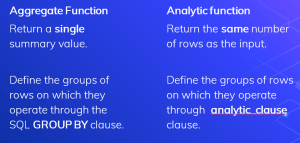
Oracle Analytical Functions
The easiest way to understand analytic functions is to start by looking at aggregate functions. An aggregate function aggregates data from several rows into a s…
Break Comma Separated String
1. Overview This document will be helpful to print comma separated string with the new line report 2. Technologies and Tools Used Oracle Plsql code. 3. U…
Deprecation of the embedded PL/SQL Gateway and mod_plsql
Introduction: Beginning with Oracle APEX 20.2, the only supported Web listener is Oracle REST Data Services (ORDS). What is ORDS? Oracle REST Data Services (ORD…
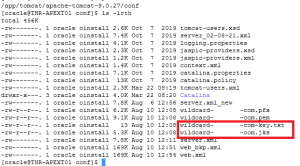
How to apply SSL/HTTPS vendor certificate for apex application deployed on apache tomcat
Description: This article shows how to enable HTTPS for Tomcat. It uses a Third party vendor certificate for wildcard SSL and It should be format of certificate…
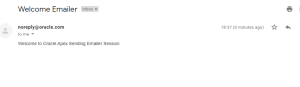
Sending Email Using Oracle Apex and PL/SQL With Examples
Objective: Using Oracle Apex Package Apex mail, How we can frame mails and send with the help of oracle PL/SQL Program. Definition: We have 3 Proc…
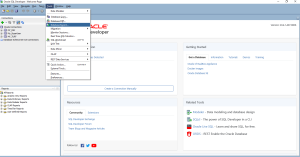
Exporting User Objects Using SQL developer
There will be scenarios like the developer wants to export the DDL/Data of user objects like Table, View, Packages, Functions, Procedures, Trigger, etc. Using S…

Incremental Search for Report in Oracle Apex
Overview Incremental search is the search option, Using this option user will get the searching information as soon as the user starts typing in the input searc…

How To Create Scroll Indicator in Oracle APEX
1. Overview This document talks about how to create scrollbar indicator in Oracle APEX by using JavaScript in Oracle APEX. 2. Technologies and Tools Used The fo…
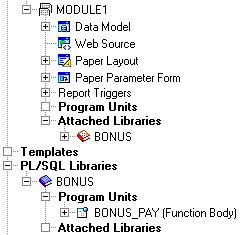
Create a New PL/SQL Library
The steps in this section will show you how to create a new PL/SQL library, then create a function that will live in this library. To create the library: Launch…
Utilities-Recycle Bin In Apex,Restore dropping Objects
As You know that The role of Recycle Bin ,in Apex, Recycle bin also works in similar way. From a developer prospective it is really helpful to get back the dele…
Apex String Split with APEX_STRING.SPLIT
This is very helpful. optimizing-member-of-with-apex_string.split_ is a great utility that allows you to take a delimited list and make it query able. By help o…

To Hide the Shuttle Type Process
1. Overview This document explains how to hide the shuttle type page item process in Oracle APEX. 2. Technologies and Tools Used The following technologies has…

Display Time in Navigation Bar
1. Overview This document explains how to create a Display Time in Navigation Bar using Oracle APEX. 2. Technologies and Tools Used The following technologies h…
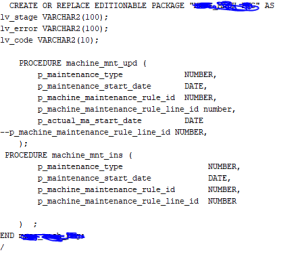
Generate DDL By comparing 2 Schema.
Table of Contents Overview Technologies and Tools Used Use Case Architecture Screen Shot 1. Overview This document will be helpful to compares Prod and Dev sche…
How to Change APEX admin password using SQL
Steps to change APEX admin password using SQL, 1. Change the current schema to the one relevant for your APEX version ALTER SESSION SET CURRENT_SCHEMA = APEX_05…
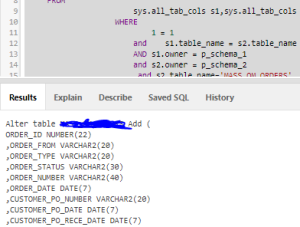
Table Alter Script by comparing 2 schema
Table of Contents Overview Technologies and Tools Used Use Case Architecture Screen Shot 1. Overview This document will be helpful to compares Prod and D…

How to set the interactive grid column values to the page item
Overview This document talks about how set the interactive grid column values to the page item.this is achieved using JavaScript. Technologies and Tools Used Th…
Steps to Uninstall Apex in Database
Please follow the below steps col COMP_ID for a15 col COMP_NAME for a45 col STATUS for a20 set lines 100 pages 100 select COMP_ID,COMP_NAME,STATUS from dba_regi…
Apex find Error, Session Monitor, Performance Monitor and Trace
In this, Developer can monitor the performance of the Application, session and other Apex page issue error. This is very helpful from developer side . to-find-t…
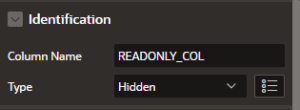
Protect Row Update & Delete in IG
1. Overview This document will be helpful in protecting updation on a row based condition in Oracle apex interactive Grid. 2. Technologies and Tools Used Oracle…

How to remove the interactive grid default alert for unsaved changes
Overview This document talks about how to remove the interactive grid default alert for unsaved changes.we are going to achieve this requirement using JavaScrip…

Adding Customized Background Color to the Interactive Report Cell
Overview In this document, we are going to see about how to add customized background color in report cell of interactive Report.This is achieved using CSS and…
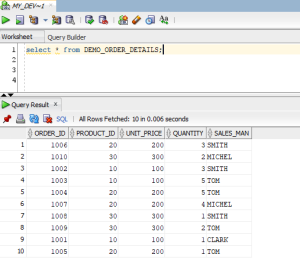
Converting rows to columns using Oracle Pivot clause
The Oracle introduced the PIVOT clause from oracle 11g. This makes converting rows to column easy. The value in the new columns must be the result of an aggrega…
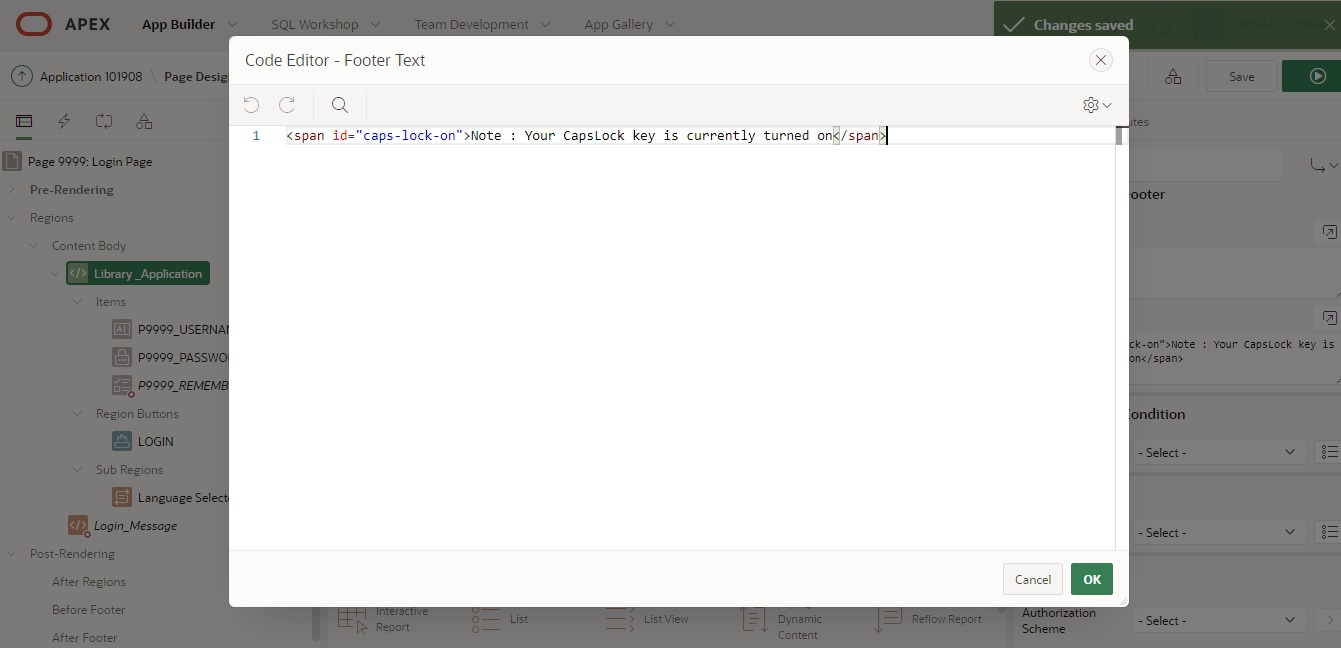
Caps Lock (On/Off) Indicator with JavaScript in Oracle APEX
Overview This document talks about how to indicate a message for whether the Caps Lock is on or off while inserting a password in login page by using JavaScript…
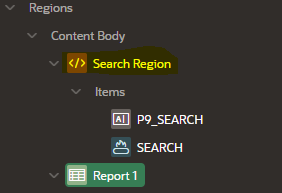
Technical Solutions For Single Search box Filter the Value with highlights in Multiple Reports
Overview This document explains how to search single search box in Multiple reports with highlights using Oracle Apex Technologies and Tools Used The following…
To Find IP Address of the User who login into Apex Application
This query will help to sql, Plsql and Apex Developer to find the user IP Address. Normally we tracking only page id, username and time of the user for login Hi…
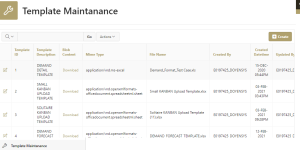
Excel Template in oracle Apex for Excel Upload Page using JavaScript and Oracle pl/sql
Objective: The Excel Upload Page in Oracle Apex Involves Excel Upload template design. Usually the templates will be stored in Shared Components Workspace File…

Apex Login Using Facebook (Social Sign In)
Assume that there is a requirement to set up a public login to an apex application using Facebook and Google. Using the Social Sign-In feature user can log in t…

How to Prevent Dialog Page Close By Disable Escape Key and Hide Close Button
Overview In this document, we are going to see about the prevention of dialog Page close by disabling the escape key and hide the close button. Technolog…
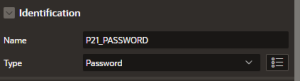
Show/Hide Password Using JS
Assume that there is a requirement for a login page, the password you want to make hide and show when the user clicks a button or icon. You can achieve this usi…

Oracle Apex – Instant Row Deletion in Report
Introduction to Instant Row Deletion in Report Learning Objective The Classic / Interactive report has the Column link option, So we can display the link as Del…
Oracle Apex Login – Auto Background Changer
Introduction to Login Page – Auto Background Changer When the user creating a application, the login page is automatically created. The Login page is created ba…
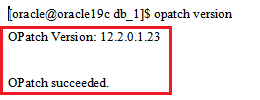
Oracle Apex Navigation – Warn on Unsaved Changes (5.1 Below Versions)
Introduction When the user entering some data into the form and for some reason ,clicks a button or tab that will automatically navigate away from the form with…
Oracle Apex – Select List Customizations
Introduction to Select List The Select List field item will renders as an HTML Form Element. It defines as that list of values are defined at the item level. Le…
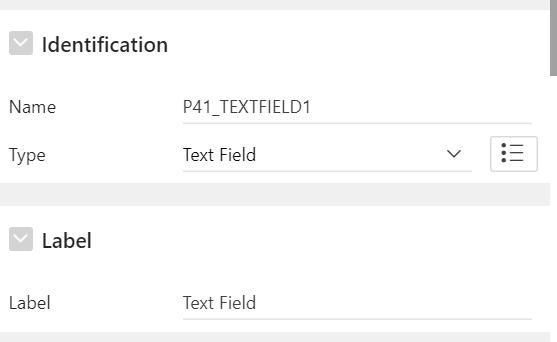
Oracle Apex – Text Field Customizations
Text Field Introduction to Text Field The Text field item will renders as an HTML Form Element. It defines as that what is entered into a text field shows up as…
Include or Exclude column in Report download
1. Overview This document talks about how to User can include or exclude the columns while downloading the reports 2. Technologies and Tools Used The following…
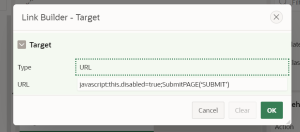
Oracle Apex – Disable Button After Click
1. Overview This document talks about how to stop the user to click a APEX page submit button more than once in Oracle APEX 2. Technologies and Tools Used The f…
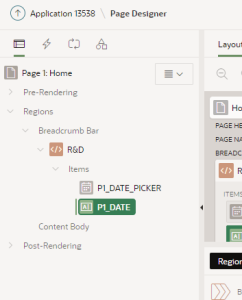
Technical Solutions For Customized Datepicker Validation’s using Jquery
Overview This document explains how to give a customized Datepicker validation’s using Jquery in Oracle APEX. Technologies and Tools Used The following technolo…
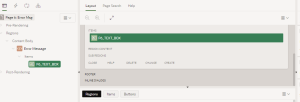
Technical Solutions For Customized Error Message using PL/SQL
Overview This document explains how to give a customized Error Message using minimal PL/SQL code in Oracle APEX. Technologies and Tools Used The following techn…
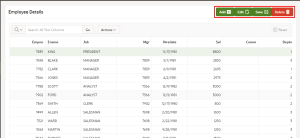
Custom Interactive grid manual process
1. Overview This document explains how to call/invoke manually interactive grid process . 2. Technologies and Tools Used The following technologies have been us…
Set Page/Application Item value within PLSQL Package/Procedure/Function
1. Overview This blog talks about the setting Page/Application Item value within PLSQL Package/Procedure/Function. 2. Technologies and Tools Used The following…
Interactive Grids button’s customization
Attachment : interactive-grids-button-customization This document will help you to change the IG Buttons name and logo code- function(config) { let $ = a…
Find Missing Page numbers in oracle Apex Application
Attachment: find-missing-page-numbers-in-oracle-apex-application This code will help You to find the missing page number. Suppose we deleted some page between 1…
Find The details about apex workspace ip, port and other client details
Attachment: apex-workspace-ip-port-and-other-client-details This is very helpful plsql code , which will give you details of your workspace, ip, port and…

Excel upload in Apex
1. Overview This document will be helpful to upload a excel file directly and view it as a report. 2. Technologies and Tools Used Oracle Plsql. 3. Use Case Cust…

How to make Intended Part of page Printable in APEX
Overview This document is about to make the intended part of page as printable. Technologies and Tools Used The following technologies have been used to compare…

Forced Notification Without Skip
1. Overview This document explains how to create a pop-up notification without X(close) button in Oracle APEX. 2. Technologies and Tools Used The followi…

Oracle APEX 20.2 Automations
Overview Oracle Apex Automations enable applications to utilize the oracle job scheduler from a Graphical User Interface using a package built on top of the dbm…
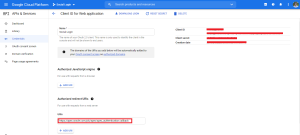
Apex Login using Google – Social Sign In
The Apex is now allowing the user to login with a Google account. This Social Sign-In feature is introduced in Apex 18.1 version. Using the social Sign-In featu…

Minimum length check for a field using JS
Assume that there is a requirement to set a minimum length for a field and we need to convey the error to the user by changing the border color. It will be usef…
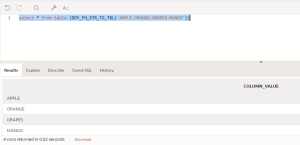
Pipelined Function for String to table-2
When we are working with the ‘Multi Select’ field , we will face difficulty to process each separated values. Here you can split a colon-separated string into r…
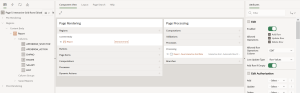
How to Change Interactive Grid Rows Editable Based on The Condition
OverView This document talks about how to change editable in the interactive grid based on the condition. We can achieve this using a simple decode method. If t…
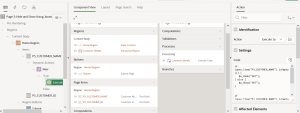
Hide and Show in Oracle Apex Using JavaScript
OverView This document talks about how to hide and show the elements in oracle apex using JavaScript.By the following method, we can hide and show the oracle ap…
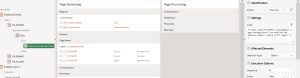
How to Add JavaScript Alert When Item Value is Changed
OverView This document talks about how to add the JavaScript alert when the item value is changed. We are going to achieve this in oracle apex using the JavaScr…
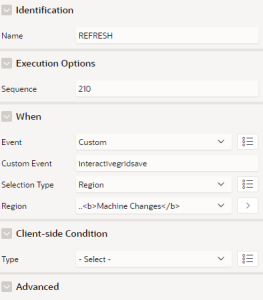
Refresh Region On Interactive grid Save
Refresh Region On Interactive grid Save Introduction: If you want to perform any action after saving the interactive grid we can write custom dynamic action Ste…
Include or Exclude column in Report download
1. Overview This document talks about how to User can include or exclude the columns while downloading the reports 2. Technologies and Tools Used The following…
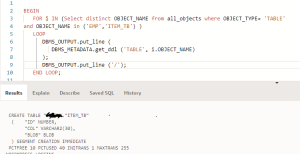
Metadata Script
1. Overview This document will be helpful to generate DDL scripts of objects using Oracle Plsql. 2. Technologies and Tools Used Oracle Plsql code. 3. Use…
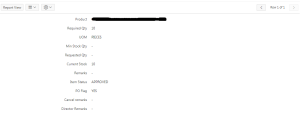
Single row view in Apex report
1. Overview This document will be helpful to change report from multi row view to single row view in IG report. 2. Technologies and Tools Used Javascript 3. Use…
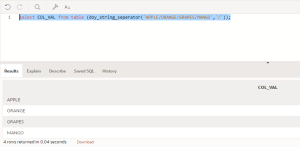
Pipelined Function for String Separation
We might face some scenarios for convert string data into rows. Here you can separate a string into rows by giving the string separator as input. Users can give…
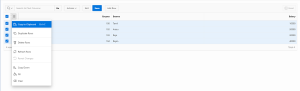
Interactive Grid Toolbar Customization -Part 2
Overview Interactive Grid (IG) allows a great deal of customization to its toolbar and menus. The toolbar is implemented by a new toolbar widget. Like most widg…

Interactive Grid Toolbar Customization Part 1
Overview Interactive Grid (IG) allows a great deal of customization to its toolbar and menus. The toolbar is implemented by a new toolbar widget. Like mo…
Floating /Fixed scrollbar in Oracle APEX Classic report
Introduction This blog explains to create floating/Fixed scrollbar for Classic report in Oracle APEX Paste the below code in “Execute when Page Loads“ $(functio…
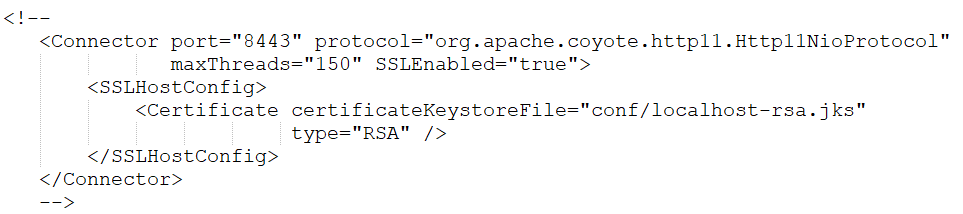
SSL/HTTPS Implementation for apex application deployed on Apache Tomcat
Introduction: This article shows how to enable HTTPS for Tomcat. It uses a self-signed certificate, but you could replace this with a valid Certificate Authorit…
Oracle Apex : Failed to load resource: the server responded with a status of 404 ()
Environment: In our case, Apex: 19.2.0.00.18 Tomcat: apache-tomcat-9.0.36 ORDS: 19.1 Error: Developer reported Dashboard images and themes are not loading for o…
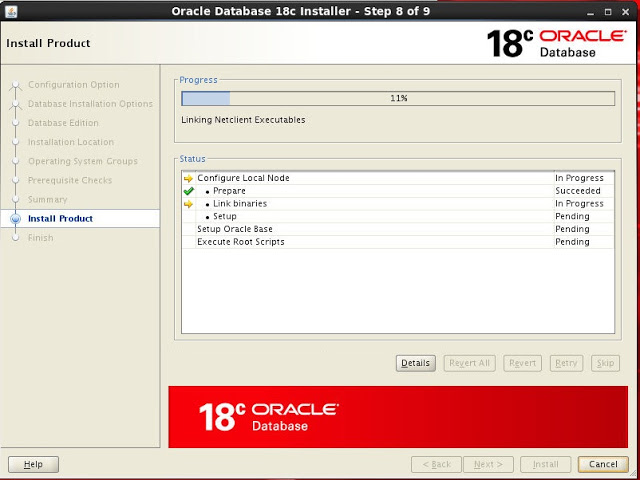
Install and Configure Oracle APEX with ORDS and Apache Tomcat
Install and Configure Oracle APEX with ORDS and Apache Tomcat Introduction: In this post, we will discuss about the step by step procedure to install Oracle App…
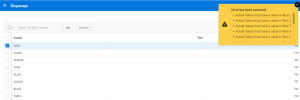
IG column validation
1. Overview This document will be helpful to validate the Interactive Grid column values without editing the IG region. 2. Technologies and Tools Used The follo…
Enable/Disable IR Download button based on User Role
By default IR region allows to either enable Download button to all users or disable Download button to all users. Suppose if there is a requirement to enable/d…
Cascading Select list in IR Oracle APEX
By default the Interactive Reporting Region allows end users to customize reports. This interactive reporting region allows users to customize the layout of the…
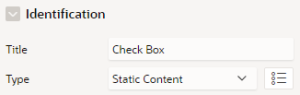
Customized Checkbox using CSS
Step 1: Create a region in the name Check Box and select region type as Static Content. Step 2: Then, create a Check Box and name it as Regular Check Box, Step…
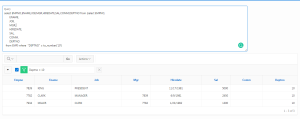
Interactive Report Filter Query
1. Overview This document will be helpful to find the query in the IR report when the filter condition is applied dynamically. (Source code should be in SQL for…
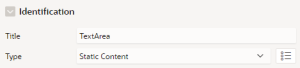
Dynamic Height Adjusting For Text Area Using JS
This blog talks about how to adjust the height of a Text Area automatically using JavaScript. We know that a text area can hold a multi-line text input and you…

Simple File Browser Item To Drag and Drop Look and Feel In Oracle Apex
This document is about to change a style of simple file browse item to Drag and Drop look and feel. Technologies Used: Oracle Apex Javascript CSS Use Case: By d…

Fade Out Alert Message In Oracle Apex
Fade Out Alert Message In Oracle Apex The fadeOut() method gradually changes the opacity, for selected elements, from visible to hidden (fading effect).…
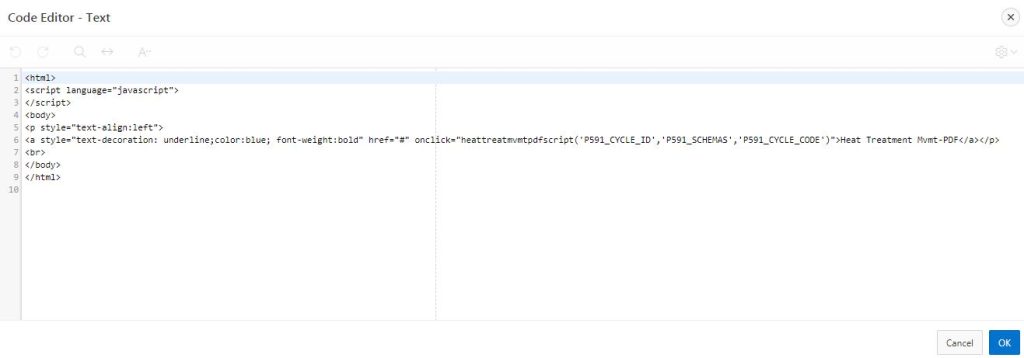
Download Jasper Report with Dynamic Names from Oracle Apex
This document is to download jasper report with dynamic names from oracle apex. Technology and Tool Used : Oracle Apex Jasper Reports Javascripts HTML Use Case…
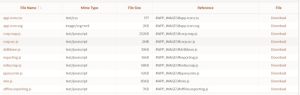
Integrating JavaScript map chart with APEX
Integrating JavaScript map chart with APEX This document talks about how to Integrate APEX with JavaScript map chart. Technologies and Tools used: The fo…
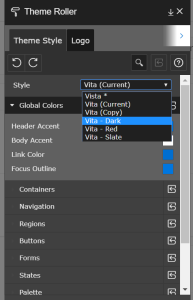
5 Things not do with APEX 5.0 for Easy upgrading
5 Things not do with APEX 5.0 for Easy upgrading These are below following high level observations on the bottle neck factors while upgrading Apex 5 to the late…
Image issue in Apex (Images Not working properly)
Description: TO Solve Image loading issue in Apex (Images Not working properly). Steps: Query and steps to find the Apex user details. ROOT@AWSCLD_DEV> select u…
How to export and import oracle apex application and workspace from command line
Query to identify applications/workspace information of your Oracle apex Application COLUMN workspace FORMAT A20 COLUMN workspace_id FORMAT 99999999999999999999…
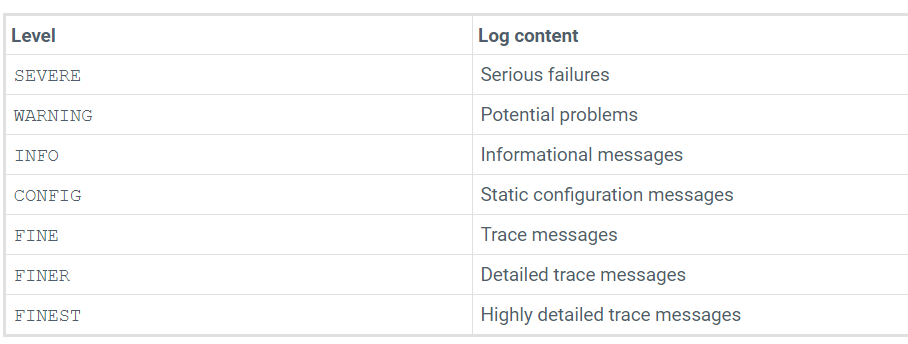
How to enable trace/debug in tomcat and which log we need to analyze when there is any issue reported
The default log files and logging levels are defined in logging.properties file under the below location /home/oracle/tomcat_09_Aug_2020/apache-tomcat-9.0.36/co…
Script to Find Apex Page hits
Below script is for finding the Apex page hits ********************************************************************************************************** /home/…
Script to Find Apex Page Time
Below script is for finding the Apex Page Time ********************************************************************************************************** /home/…
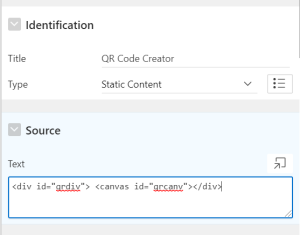
QR Code Creator – Oracle Apex
QR Code Creator QR Code is defines that a machine-readable code consisting of an array of black and white squares, typically used for storing URLs or other info…
Installation and Configuration of Oracle Application Express with Oracle REST Data Services and Apache Tomcat
Installation and Configuration of Oracle Application Express with Oracle REST Data Services and Apache Tomcat Installed Softwares (requirement may vary) Oracle…
Check Data type using JavaScript
Introduction This Post is Explain About to Check Data type using JavaScrip. Use the below script to perform duplicate data validation along with numeric…
Session State Protection in APEX
Description: Session State Protection is a built-in functionality that prevents hackers from tampering with the URLs within your application. URL tampering can…
Report Generation from BI through APEX
Description: Oracle BI Publisher is suitable for report output; it will give the output files like PDF, XLS, etc., Huge advantage in BI Publisher is that it can…
Integrating With Fusion Application Using Services (APEX)
Description: Fusion Applications provides web services that allow external systems to integrate with Fusion Applications. There are two types of services: ADF s…
Dynamically Generate the Checksum id to solve the apex vulnerability problem
Description: All of these APEX security exposure vulnerabilities can be avoided by careful configuration, but there are many potential security exposures to con…
Create Customize POPUP LOV for APEX
Description: This section describes specific sections of the Edit Popup List of Values Template page. You can access the sections of the page either by scrollin…
CAPTURE LOG (LOGIN, LOGOUT, SESSION, SYSTEM) DETAILS IN ORACLE APEX 4.2
Description: User Log Reports provides detailed information about the users’ login details along with their history. These reports are more accurate and also pr…
HOW TO PLAY VIDEOS IN ORACLE APEX 4.2
Description: Viral advertising is a proven technique that will assist in enhancing your enterprise internet presence in a really Expense-powerful manner. It is…
DYNAMIC DATE RANGE IN APEX DATEPICKER
Description: Using this method, you can set the range of selectable dates by entering a Minimum and Maximum Date value dynamically “real-time.” Step 1: Create a…
COORDINATE MAPPING IN ORACLE APEX
Description: Line coordinates are used to specify the position of a line just as point coordinates (or simply coordinates) are used to specify the position of a…
RUPEE SYMBOL IN REPORTS IN ORACLE APEX 4.2 USING HTML
Description: Most of the Applications includes Accounts Reports like Employee Payroll Reports, Company Purchase Reports, Invoice Reports, etc. Now using this me…
DYNAMICALLY ADDING ROWS IN TABULAR FORM IN ORACLE APEX 4.2
Description: A good web design involves the better user interaction and the ability to fetch the data in a better way. In Tabular Form, the user can add rows on…
ADDING A FAVICON TO APEX
Description: A Favicon (Favorite Icon), also known as a Shortcut Icon, Web site Icon, Tab Icon, or Bookmark Icon, is a file containing one or more small icons,…
Restrict Copy Paste & Right Click In Apex Page
Description: The purpose of this component is to restrict the copy option from the user level of apex page. SCENARIO : Consider in our apex application we are p…
Apex.server.process
Description: This function calls a PL/SQL on-demand process defined on page or application level. It’s a wrapper of the jQuery.ajax function and supports all th…
Role based Authorization in Oracle APEX5
Description: To implement Role-based Authorization in Oracle APEX Application, in version 5. Application Item: USER_ROLE Table: ROLE_ACCESS_CONTROL The purpose…
Progress Bar in Reports in APEX5
Description: APEX can create “Percentage Bars” within a report. This can be achieved using HTML Code in your Report SQL Query. Steps: 1- Create your report: Cre…
Search on Double Click in IR Report
Description: If double-clicking for Adhoc operations are enabled to IR report in the following steps. Place the below code in HTML Header: <script type=”text/ja…
Multiple selection in select list item – Oracle Apex 4.2
Description: To select multiple values from select list item in Oracle Application Express 4.2. Step 1: Create Select list item. Step 2: Step 3: Output: Summary…
How to set background in Oracle Apex 5 application using CSS
Description: To set background in Oracle Apex 5 application using CSS (Cascading Style Sheets). Step 1: Create a HTML Region. Step 2: Put a required image into…
SLIDESHOW OF IMAGES IN APEX
Description: Websites that include many images, such as art or photo gallery sites, can benefit by presenting some (or all) of their images in slide show format…
Notification Message Bar design change in Oracle APEX 4.2 using CSS
Description: To change the “Notification Message Bar” design throughout the Oracle Application Express 4.2 application. Requirement: The customer has asked us t…
Shrinking of Navigation Menu on page load
Requirement: Navigation menu should be shrinking on page load. Challenges faced: In Oracle Apex 5, universal theme the navigation menu is strengthening on defau…
Search bar for Tabular form with auto complete option for Date values
Description:The search button in tabular form is helpful to identify the exact data in the tabular form, that will act like a filter in interactive report shows…
Retain checkbox value after refresh the page
Step1: Declare global variable to get all the checkboxes var i; checkboxes = document.querySelectorAll(‘input[type=checkbox]’); Step2: Use the following…
Report Carousel in APEX 5 UT
Description: This document describes how to dynamically moves your data from the report in oracle apex 5. When you add a region to your page with a couple of su…
Removal of close button from Select2 plugin
Description: The users who completed their tasks in selected Delivery PDVD must not be deleted from team allocation. Select2 plugin was used for selecting multi…
Global Alert Box in APEX
Description: This is developed as we need customized alert boxes all-over application. A region created in the global page and been referred to in dialog box wh…
Get Filtered Columns and Values in APEX Interactive Report
Description: In order to get the filtered columns and their corresponding values in APEX Interactive Report, we can use this code. So if the user selects multip…
Full View or Normal View of Tabular Form Columns in APEX
Description:A tabular form enables users to update multiple rows in a table at once from a single page. You can use the Tabular Form Wizard to create a tabular…
Excel Merge and Download using Custom Template in APEX
Description: For Merging cells in Excel and for other CSS in download property, i.e., to create downloadable XLS formatted sheets from any version of APEX use t…
Conditional Link in APEX Tabular Form
Description: Conditional link is the common requirement all over application development. As a requirement goes with Users and Roles, Conditionally, we may have…
Conditional Alert or Comments on Hover
Description: Conditional Alert / Comments on Hover is a common requirement, In Old days, it is common to use a drill-down pop-up user has to click and view comm…
Multiple User Interface for Oracle APEX
Description: Within a single Application you can have Desktop and Mobile Pages with individual Themes each That means an Application can have multiple active Th…
Upload and Download of Files from Server
Introduction This post is about to upload and Download of Files from Server Step 1: Create a File browse item. Step 2: Create a directory in database. Step 3: C…
Hide the Report Column based on User Condition
Description: The below explain describe how to hide the report column based on given user condition in oracle EBS Get the interactive repot table id Exam…
DISABLING KEYS USING JAVASCRIPT IN APEX
Description: Application customization, by using JavaScript “Key Disabling,” can be achieved, thereby preventing the user from feeding the particular key input…
Configuring APEX to use BI Publisher
Description: Configuring APEX is use to BI Publisher as your Report Server, first, access the Report Printing parameters Go to The following navigation in APEX…
Clearing Session State in APEX
Description: To develop the applications, we may find it useful to clear the cached value for specific items, all items on a page, all pages in an application,…
How to put the Company logo in each APEX page.
Description: Go to Shared Components, then click the images link and upload the image to the application. Click the Definition write the image name to logo text…
How to Apex Interactive Report Cosmetics
Description: The Interactive Reporting Region is an innovative new technology that allows end users to customize reports. By putting more power in the hands of…
Third Party Process – Colombia
Description: This page explains the steps involved in generating the Colombia Third-party report balances. This process ensures the passage of the third…
Sending Calendar Invite via APEX Application
Description: ICS is a global format for calendar files widely being utilized by various calendar and email programs, including Google Calendar, Apple iCal, and…
Manual Pagination In Oracle Apex
Description: Create items to set count of rows and display Step:1: Create items to set count of rows and display Item to represent pagination. Also, create butt…
Losing Data During Validation In Apex Tabular Form
Description: Losing Data During Validation In Apex Tabular Form Step:1: On Submit, Before Computation and Validation – Insert into Collections. BEGIN apex_colle…
Key Controlled Report View in APEX
Description: This section describes how to access components in Oracle Application Express using a keyboard. Step:1: By Default, report should not be visible, S…
HOLD or UNHOLD in APEX Report
Description: This explains about HOLD / UNHOLD in APEX Report function fun(a) { //alert(a); var str = a.substring(4); // alert(str); str = parseInt(str, 10); st…
Freeze Columns in Tabular Form or Report (Classical Report)
Description: This Query explains “How to Freeze/Fix Column Header Row of a Classic Report,” which I found very useful when the number of report columns/rows are…
Field Locks In Oracle Apex
Description: A lock icon indicates whether a page is currently locked. If a page is unlocked, the icon appears as an open padlock. If the page is locked, the ic…
Dynamic addition of data on clicking of link in a pop-up
Description:This post displays about Dynamic addition of data on clicking of a link in a pop-up Step:1: On Click of tabular form column of parent report, execut…
Download hidden column in APEX classic report
Description: An expression is an arbitrarily complex combination of operands (variables, constants, literals, operators, function invocations, and placeholders)…
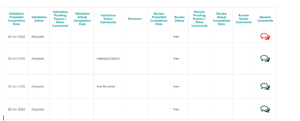
Comments Differentiation in Oracle APEX
Description: Comments Differentiation is some recent requirement as new advancements in CSS been implemented. Customer requires differentiation in Image when so…

Blank Row Restriction in Oracle APEX
Description: Blank Row Restriction is to avoid unwanted addition of rows in detail report (tabular Form) when a blank row already exists. This functionality can…
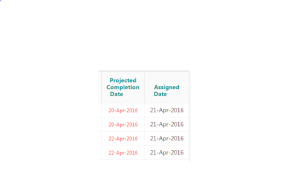
Avoid wrapping of fields in APEX Interactive reports
Description: Due to many columns in the report, the Data will be wrapped automatically. Resolution: In report attributes, assign the static ID for the co…
APEX – Report Rows Clickable to detailed page
Description: This document describes how to make an Apex Reports clickable to a detailed page with an option of entire row selection. In Apex, Rep…
How to Set Interactive Report Filter with URL Parameters
Description: Interactive Reports are very powerful; the end-user can set filters, highlighting, add computed columns, do control breaks or groupings, and much m…
How to Highlight Tabular Form Rows on addition from Pop-up
Description: This is often used to show additional information about a row, particularly when you wish to convey more information about a row than there is spac…
Apex used to call the Oracle JOB scheduler and Java
Description: The below steps describe who Apex used to call the Oracle JOB scheduler and Java users to create in oracle EBS with examples. l Create the HTML lin…
APEX upgrade from 4.0 to 4.2 – Technical Issues
Description: Upgrading Oracle Application Express creates new database objects in a new schema and migrates the application metadata to the latest release. Prob…
Add Row on the Top in the APEX Tabular Form
Description: Query explains how to add row on the top in the APEX Tabular Form Step 1: Create a Dynamic action with Event as Click, Selection Type as But…
ORA-01741: illegal zero-length identifier
Posted by : Saravanan Introduction This Post demonstrates about error ORA-01741 : illegal zero-length identifier Scenario While adding multiple schemas t…
ORA-27492: unable to run job “APEX_040200.ORACLE_APEX_MAIL_QUEUE”: scheduler unavailable
Posted by Venkateshwaran Govindaraj ISSUE: ———- ORA-27492: unable to run job “APEX_040200.ORACLE_APEX_MAIL_QUEUE”: scheduler unavailable SOLUTIONS: —————— Alter…
ORA-38824: A CREATE OR REPLACE command may not change the EDITIONABLE property during Apex install in 12.2
Posted by Sathiyaseelan Mariappan Hi .. Lets find out the solution for below issue. Issue: Fresh apex install failed with the below error. ORA-38824: A CREATE O…
APEX INSTALLATION WITH HTTP(OHS) SERVER
APEX INSTALLATION WITH HTTP(OHS) SERVER Description: 1.We have to install first apex in our database after we have to install http(OHS) server: Apex Installatio…

USING APEX_ERROR NOTIFICATIONS TO MANAGE CUSTOM ERROR MESSAGES
Include User Notifications or Custom Messages and Error Messages in Oracle APEX’s default Success and Error Message style. Default Success message : Defau…

JQUERY AUTOCOMPLETE FOR TEXT FIELD ITEM IN ORACLE APEX
Process of enabling users to quickly find and select from a list of values as they type, searching and filtering without Native text with auto-complete in…

Creating Checkbox Tree In Oracle Apex 5.0
Required Tools vOracle Apex (Version 5) Step 1 Create Tree Region Sample code: SE…
Custom Excel Download with Chinese Characters (for languages other than English)
In APEX 4.2, reports with some Chinese and other language characters gets replaced with inverted question marks if downloaded. This issue can be fixed using the…

EXCEL UPLOAD IN APEX USING SELECT LIST TEMPLATE
Follow the below steps to achieve, the process of uploading a .XLSX file with multiple tabs with Select List in APEX using PL/SQL. ü Step 1 : Create…

.XLSX UPLOAD IN APEX USING PL/SQL
Follow the steps below to achieve, the process of uploading a .XLSX file in APEX ( 4,5 AND 18C) using PL/SQL. ü Step 1 : We need to create a P…
Apex – Load Data from Json File to Table
This blog provides an example of loading data from Json file into Table Sample Json:- { “depar…

TOOL-TIP FOR THE REPORT COLUMN
The tool-tip displaying report column while hovering on the another report column. STEP 1: l ENAME, DEPARTMENT and MANAGER is the report Colum…

Radio group with dynamic help text in Oracle APEX 4.2 using CSS
Objective: To show dynamic help text in radio group item in Oracle APEX 4.2 using CSS. Solution: Step 1: Create Radio group item. Step 2: Use below query in rad…
Page refresh button in Oracle APEX 4.2 using JS
Objective: To refresh oracle APEX application page using JavaScript. Solution: If you want to create a page refresh button inside your APEX page you need to add…

Report Layouts and Report Queries in Oracle APEX 4.2
Objective: To create PDF, Excel, RTF, HTML reports using report Layouts and report Queries in Oracle APEX 4.2. Solution: Step 1: Go to Shared Components Step 2:…

Read and Import XLSX file in Oracle APEX 4.2
Objective: To read and import XLSX file in Oracle APEX 4.2 Scenario: Customer wants to see their investor details in APEX (in the form of IR). Though investor d…

Download Blob Files from Oracle Table in APEX using PL/SQL
Objective: To download blob files (ZIP Files) from table in APEX using Oracle PL/SQL. Scenario: Customer has asked us to give the provision in APEX, which is us…
Excel Download Package in Apex
Step 1: Create below Package in DB. Package Spec create or replace PACKAGE doy_PK_APEX_EXCEL_DOWNLOAD IS TYPE query_res IS…
Custom_Popup_page_APEX 4.2
Step 1: Create a new page with popup template (Page No -2175). Step 2: Create 2 region in old (Calling) Page and write the below scripts in region source.…
Upload and Download of Files from Server
Upload and Download of Files from Server Step 1: Create a File browse item. Step 2: Create a directory in database. Step 3: Create a procedure to upload file in…
LAZY LOADING
Requirement: Lazy loading in Oracle Apex Step1: Create a page Step 2: Create a report region Step 3: Create a hidden page item Ex : P1_HIDDEN Step 4: Create on-…
Multiple Interactive Reports in Single Page Oracle Apex 4.2
Step 1: Create one interactive report in one page. Step 2: Create other interactive report in second page. Step 3: Create a HTML region in the first page with s…

Scroll to the top of the page/report in Oracle APEX
Objective: To Scroll the top of the page/report in Oracle APEX application. Scenario: We have encountered an issue that you always stay on the bottom of the pag…

APEX Reports with dynamic help text in Oracle APEX 4.2 using CSS
Objective: To show dynamic help text in APEX reports (Interactive/classical) in Oracle APEX 4.2 using CSS. Solution: Step 1: Create Interactive report Step 2: U…

Stop the user to click a page submit button more than once in Oracle APEX 4.2
Objective: To stop the user to click a APEX page submit button more than once in Oracle APEX 4.2 Scenario: The standard way to push the page data back to the AP…
Include or Exclude column in APEX interactive report download
Include column only in download Hidden column cannot be downloaded in interactive report if, Display As : Hidden Include In Export : Yes This can be achieved us…

MINIMUM DATE AND MAXIMUM DATE FOR A DATE PICKER IN A TABULAR FORM
MINIMUM DATE: The Minimum date can be set for a date picker in the tabular form using the following steps. 1. Set SYSDATE as the source value to an item Using P…

Displaying Classical Report in Full page with Less Columns
Step 1: Create classical report with less number of columns in a page. Step 2: Go to the page header, in CSS under Inline CSS mention the code as table.uReportC…
Breadcrumbs Using Page Items
According to the customer’s requirement, there is a table which contains both parent parts and child parts in one table. Once we create a part, a link must be a…
Calculating Sum of 2 or More Fields in Oracle Apex
Step 1: Create all the items which you need to calculate Step 2: In items level Element à HTML Form Element Attributes à Call a function on Key up onkeyup=”tota…
Displaying of a select list and a button based on conditions in one Tabular Form Column
Requirement: For already existing records in data base a select list must display, and for newly added records a button must display for deleting the newly adde…
File Type Validation using Java Script
Step 1: Create a File browse item. Step 2: Create a button to submit the page. Give the Action when Clicked as Defined by Dynamic Action. Step 3: Create a Dynam…
Dynamically ordering of rows
Step 1: Create a tabular form with the query and add a null column at last Step 2: Report attributes à NULL column à HTML Expression <img id=”down_#ROWNUM#” sty…

Modal Dialog in Apex 4.2
Requirement: A modal dialog has to open on button click in Oracle Apex 4.2. Step 1: Create a page Step 2: Create a HTML static Region and cre…

APEX 5- Using Images as an Top Navigation Menu
Overview: 1. Purpose. 2. Benefits. 3. Steps. 4. Screen shots. 5. Conclusion. 1. Purpose: This document describes how…
APEX – Reports with Row Details
Overview: 1. Purpose. 2. Benefits. 3. Steps. 4. Screenshots. 5. Conclusion. 1. Purpose: This document describes how t…
Deep Linking in Oracle APEX :
Deep linking refers to the ability to link to an Oracle Application Express page out of context . When you link to a page out of context and the application req…
Word Wrap in APEX IR:
One of the common problems with APEX IR is word wrap. Add the below code in Column formatting in column attribute: <table style=“word-break: break-all; wid…
APEX – Report Rows Clickable to detailed page
Overview: 1. Purpose. 2. Benefits. 3. Steps 4. Conclusion. 1. Purpose: This document describes how to make a Apex Reports click…
Freeze Columns in Tabular Form/ Report (Classical Report)
Today I would like to share “How to Freeze/Fix Column Header Row of a Classic Report” which I found very useful when the number of report columns/rows are…
Search bar for Tabular form with auto complete option for Date values
Requirement: Tabular form Search bar Challenges faced: On default, in tabular form Oracle apex didn…
Shrinking of Navigation Menu on page load
Requirement: Navigation menu should be shrinking on page load. Challenges faced: In Oracle Apex&nb…
Displaying of 7 Consecutive Dates in Report Header
Step 1: Create a date field for selecting the date. Step 2: Create a report for displaying …

Removal of close button from Select2 plugin
Requirement: The users who completed their tasks in selected Delivery PDVD must not be deleted&…
HOLD / UNHOLD in APEX Report
In Report Attributes, Call below function in link – URL function fun(a) { //alert(a); var str = a.substring(4); &…
Key Controlled Report View in APEX
Every application all over world is in fond of key controlled or having shortcuts to…

Global Alert Box in APEX
GLOBAL ALERT BOX is developed as we need customized alert boxes all over application. A&nb…

Full View/ Normal View of Tabular Form Columns in APEX
Step:1: Create relation between table header and table…
Dynamic addition of data on clicking of link in a pop-up
Step:1: On Click of tabular form column of parent report, execute below javascript code to …

Conditional Link in APEX Tabular Form
Conditional link is the common requirement …

Conditional Alert / Comments on Hover
Conditional Alert / Comments on Hover is common requirement, In Old days, it is common&nbs…

Comments Differentiation in Oracle APEX
Comments Differentiation is some recent requirement as new advancements in CSS been implemented.&nbs…

Blank Row Restriction in Oracle APEX
Blank Row Restriction is to avoid unwanted addition of rows in detail report (tabular Form…
Add Row on the Top in the APEX Tabular Form
Step 1: Give the Add row button, Action when Button Clicked as Defined by Dynamic ac…

Avoid wrapping of fields in APEX Interactive reports
Due to many columns in the report the data will be wrapped automatically. Resolution: 1. In&nbs…
Sending Calendar Invite via APEX Application
With the below code we can send individual emails to the users with an ICS file …
Download hidden column in APEX classic report
Hidden column cannot be downloaded in classic report if, Display As : Hidden Include In E…
Manual Pagination In Oracle Apex
Step:1 : Create items to set count of rows and display item to represent paginatio…
Losing Data During Validation In Apex Tabular Form !!! – Check In
Step:1: On Submit, Before Computation and Validation – Insert into Collections. BEGIN …
Field Locks In Oracle Apex
Step:1: On-change of items, insert into locks table. Dynamic Action : On-Change &nb…
Excel Merge and Download using Custom Template in APEX
For Merging cells in Excel and for other CSS in download property, i.e to create&nbs…
Get Filtered Columns and Values in APEX Interactive Report
In order to get the filtered columns and their corresponding values in APEX Interactive Re…
Highlight Tabular Form Rows on addition from Pop-up
To Highlight Tabular Form Rows on addition from Pop-up: 1. Paste the following code in the dynamic action: On Refresh of regio…
Set Interactive Report Filter with URL Parameters
Interactive Reports are very powerful, the end user can set filters, highlighting, add computed columns, do control breaks or groupings and much more. As a Deve…
Progress Bar in Reports in APEX5
APEX can create “Percentage Bars” within a report. This can be achieved using HTML Code&nb…

Displaying images in a Report
Purpose: This document shows user how to include images in report &…

Role based Authorization in Oracle APEX5
Objective: To implement Role based Authorization in Oracle APEX Application, in version 5. Application&nb…

Restrict Copy Paste & Right Click In Apex Page
PURPOSE: The Purpose of this component is to restrict the copy option from the user level&…
Creating Interactive Report as Excel format with applying font for particular column values
PURPOSE: If we want to show any report in excel format in page level with the differe…
Search Bar in Tabular Form
PURPOSE: The search button in tabular form is helpful to identify the exact data in the&nb…
Multiple File Upload in Oracle APEX
This method supports the ability for file inputs to accept and upload multiple files into datab…
ADDING A FAVICON TO APEX
A Favicon (Favorite Icon), also known as a Shortcut Icon, Web site Icon, Tab Icon&nb…

DYNAMICALLY ADDING ROWS IN TABULAR FORM IN ORACLE APEX 4.2
A good web design involves the better user interaction and ability to fetch the data …

RUPEE SYMBOL IN REPORTS IN ORACLE APEX 4.2 USING HTML
Most of the Applications includes Accounts Reports like Employee Payroll Reports, Company Purchase&n…

COORDINATE MAPPING IN ORACLE APEX
Coordinate Mapping: Line coordinates are used to specify the position of a line just as po…

HIGHLIGHT MANDATORY ITEMS THROUGHOUT THE APPLICATION
Here is how to highlight form text items, which Value Required attribute is set to “Y…

DYNAMIC DATE RANGE IN APEX DATEPICKER
Using this method you can set the range of selectable dates by entering a Minimum and…

HOW TO PLAY VIDEOS IN ORACLE APEX 4.2
Viral advertising is a proven technique that will assist to enhance your enterprise internet&nb…

CAPTURE LOG (LOGIN, LOGOUT, SESSION, SYSTEM) DETAILS IN ORACLE APEX 4.2
To Capture User Login Details: User Log Reports provides the detailed information about the use…
SLIDESHOW OF IMAGES IN APEX
Websites that include many images, such as art or photo gallery sites, can benefit by …
DISABLING KEYS USING JAVASCRIPT IN APEX
Application customization, by using JavaScript “Key Disabling” can be achieved, thereby preventing t…

Session State Protection in APEX
Session State Protection is a built-in functionality that prevents hackers from tampering with the URLs within your application. URL tampering can adversely aff…
Clearing Session State in APEX
As you develop your applications, you may find it useful to clear the cached value for specific items, all items on a page, all pages in an application, or the…
Multiple User Interface for Oracle APEX
User Interface User Interfaces · Within a single Application you can have Desktop and Mobile Pages with individu…

Integrating With Fusion Application Using Services (APEX)
Fusion Applications provides web services that allow external systems to integrate with Fusion Applications. There are two types of services: ADF services and c…

Oracle Application Express 4.0 EA2
Oracle Application Express 4.0 Early Adopter Phase II (EA2) is now available. Fill out the survey and request a NEW workspace on oracle’s hosted instance @ …
Apex Interactive Report Cosmetics
To Change the Report Field Title color .apexir_WORKSHEET_DATA th div {font-size:12px; color:black;…
Hide the Report Column based on User Condition
Get the interactive repot table id Example : var apexform = $x{interactive report tablei…

Append the Data Base value to Tabular Form Read only Column
Get the interactive repot table id Example : var apexform = $x{tableid};Mention the rows…
Configuring APEX to use BI Publisher
To use BI Publisher as your Report Server, first, access the Report Printing parameters:Go …
Append the Data Base value to Tabular Form Select List
Ajax(Application Process) used to Get the value from Data base Return value as node …
Apex used to call the Oracle JOB scheduler and Java
l Create the html link on apex l Ajax(Application Process) used to call the DBMS_SCHEDULER …

Report Generation from BI through APEX
Oracle APEX is user friendly for designing part as well as client side data entry and…

Create Customize POPUP LOV for APEX
Javascript Used to Get the Tabular Form Id Example : var eleTables = document.getElementsByTagName(“…

Dynamically Generate the Checksum id to solve the apex vulnerability problem
Ajax(Application Process) used call the Oracle Query of APEX_ITEM.MD5_CHECKSUMJava method of Math.…
To put the Company logo in each APEX page
l Go to Shared Components then click the images link and upload the image to applicat…

APEX upgrade from 4.0 to 4.2 – Technical Issues
1. Problem: Login issue – unable to login to the Apex application. &nbs…
Oracle Application Express in Oracle Database 12c
Oracle Application Express in Oracle Database 12c Oracle Application Express Release 4.2.0.00.08 is installed by default in Oracle Database 12c. One of the majo…