Blog / Oracle Application Blog
Adding Order Date Filter to the Order Management ECC Dashboard
Introduction / Issue
Users of the Order Management – Enterprise Command Center dashboard needed a way to narrow down the Orders by Order Date directly from the dashboard’s guided discovery panel, But it wasn’t exposed as a refinement on the dashboard, so users had no quick way to slice orders by date without exporting data or building a separate report.
Why We Need to Do / Cause of the Issue
- By default, an attribute in the ECC data model is only searchable, filterable, or displayed in the dashboard’s guided discovery panel if it has been explicitly configured to do so in the data set’s Metadata.
- ORDER_DATE was present as a plain attribute only, as a result, users could not filter or see order counts by date, even though the underlying data was already available in the Orders data set.
How Do We Solve
The fix was done entirely through configuration in the ECC Data Designer, with no code changes required. The steps were:
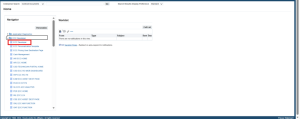
- Navigate to the ECC Developer responsibility from the home page navigator.
- Open Metadata tab, and select the Orders (ont-headers) data set.

- On the Attributes tab, locate the ORDER_DATE attribute

- Scroll to the right and enable the below check boxes, so the attribute becomes available as a dashboard filter.
- Enable the mentioned checkboxes Refinable, Show in Guided Discovery, Show Record Count for ORDER_DATE

- Switch to the Attribute Groups tab, open the H_MAIN (“Main”) group, and add Order Date alongside the existing fields (Customer PO, Request Date, Order Total, Status, Order Type) so it appears in the dashboard’s primary filter panel
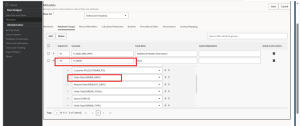
- Save the changes and run a full ECC data load and confirm the dashboard shows the new Order Date filter.

Conclusion
With ORDER_DATE enabled for refinement and added to the Main attribute group, the Order Management ECC dashboard now shows Order Date as a filter in the guided discovery panel.
Users can narrow the Orders view by date directly from the dashboard, without any custom reports or manual data exports by a configuration-only change.