Bank Number Missing Field From Expenses

Introduction
Bank branch details missing in the expense. We need to go Manage Administrator Profile Option with this code CE_USE_EXISTING_BANK_BRANCH to add this user under profile values. Once fixed this action plan user can see bank branch number details.
Issue: User cannot able to see the bank branch code at the Manage Bank account details.
Manage Profile Option
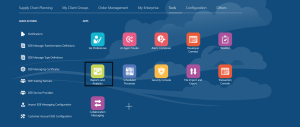
Navigation: Setup & Maintenance → Global searchà Manage profile Option.
It should be enable this check box for user level.

Manage Administrator Profile Option
Navigation: Setup & Maintenance → Global searchà Manage Administrator profile Option.
Search: CE_USE_EXISTING_BANK_BRANCH

Once we added in the profile option, user can see the Branch Number field at Manage Bank Details level.

Conclusion:
Once we completed above steps, user can see bank branch number field in the Oracle cloud.