
Purpose and Scope
This document describes the procedure to copy table data from a source server to a destination server using the SQL Server Import and Export Wizard. This method is commonly used for data migration, data refresh, and reporting requirements.
Prerequisites
Before starting the data transfer, ensure the following prerequisites are met:
- Database Access Permissions
Ensure you have the required permissions to access both the source and destination databases.
- Backup
Take a backup of the source and destination tables or databases before performing any data operations to avoid data loss.
Procedure
Pre-Checks
Before copying the data, take a backup of the source table using the following query:
SELECT *
INTO backup_table_name
FROM original_table_name;
This ensures data recovery in case of any unexpected issues during the transfer.
Steps to Copy Table Data from Source to Destination
Step 1: Connect to Source Server
Connect to the source database server using SQL Server Management Studio (SSMS).
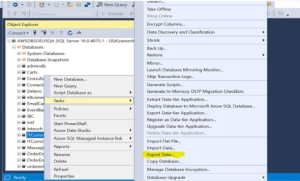
Step 2: Start Export Wizard
Right-click on the source database and select Tasks → Export Data.
Step 3: Launch Import and Export Wizard
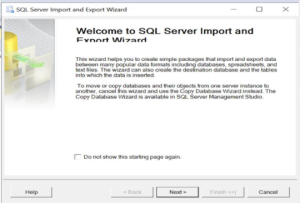
The SQL Server Import and Export Wizard will open.
Click Next to proceed.
Step 4: Choose Data Source
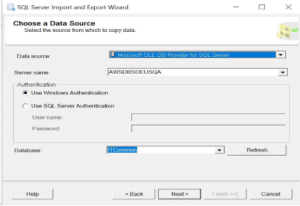
Select the appropriate data source and choose the corresponding source database.
Step 5: Choose Destination
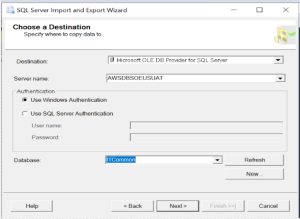
Provide the destination server name and destination database name.
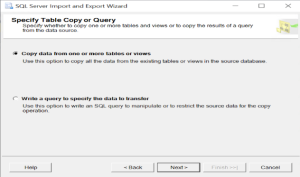
Step 6: Select Copy Option
Choose the option Copy data from one or more tables or views.
Step 7: Select Tables
Select the table(s) that need to be transferred from the source database.
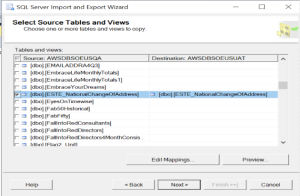
Step 8: Edit Mappings
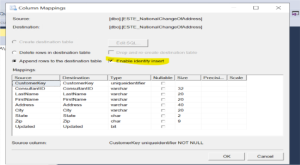
Click on Edit Mappings, enable Enable Identity Insert, and click OK.
This ensures identity values are preserved during data transfer.
Step 9: Run the Package
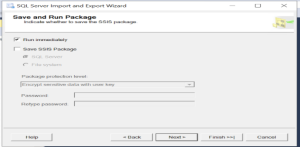
Select Run Immediately to execute the data transfer.
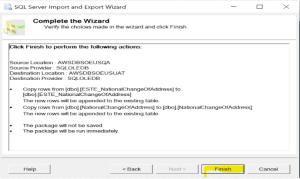
Step 10: Execute and Finish
Click Finish to start the data copy process.
Conclusion
The table data was successfully copied from the source server to the destination server by following the standard data transfer procedure. All records were transferred without discrepancies, and data validation confirmed consistency between source and destination tables. The destination table is now up to date and ready for further operations.
