
- Login into the Dev Instance with Admin User
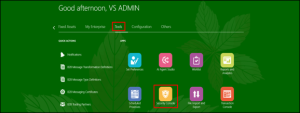
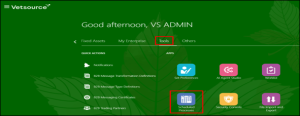
- Go to Tools and Click on Security Console
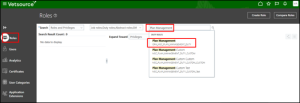
- Go to Roles and search for role, Click on Plan Management Role
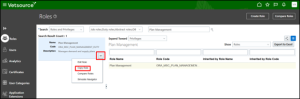
- Click on drop down on the left and select Copy Role
- Select Copy top role and inherited roles
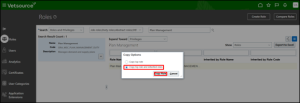
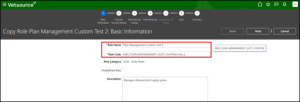
- Give some unique name to copied role name and role code field
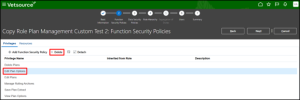
- Delete the Privileges which need to be restricted to certain users (Edit/Manage Privileges)
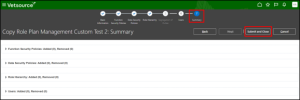
- Go to Summary, Click on Submit and Close
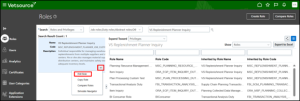
- In Roles search for Inquiry role, VS Replenishment Planner Inquiry
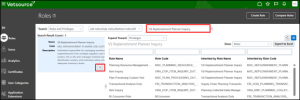
- Click on Drop Down -> Edit Role
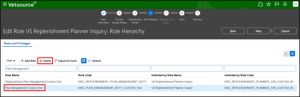
- Go to Roles Hierarchy, Delete Plan Management Role
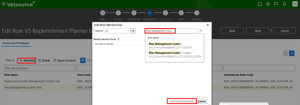
- Add the new Custom Role: Plan Management Custom Test 2
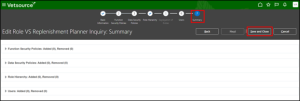
- Go to Summary, Click on Save and Close
- Go back to Home Page, Click on Tools à Schedule Processes
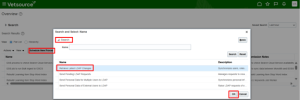
- Click on Schedule New Process, Search as LDAP (Enter) and Select Retrieve Latest LDAP Changes
- Submit the process and wait till it gets complete.
- Logout and Login again into Instance
- Verify the results
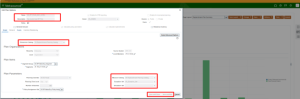
- Open any plan with designated user and check Edit Plan Options, All the privileges which are restricted should be grayed out.
- Repeat the same steps for each of the Custom Role and Privilege which need to restrict.

Recent Posts