Enforcing Dynamic Line Limits on APEX Interactive Grids
Introduction
When building transactional forms in Oracle APEX—such as sales orders, requisition lines, or booking forms—business logic often requires capping the maximum number of detail lines a user can add based on a header value or user entitlement .
By default, the standard Oracle APEX Interactive Grid allows users to continuously add rows via the native toolbar “Add Row” button, custom manual buttons, or keyboard shortcuts (Selection-Add-Row). Attempting to validate or restrict row additions purely through client-side JavaScript often leads to runtime errors like:
Uncaught Error: cannot call methods on interactiveGrid prior to initialization
Uncaught TypeError: model.isDeleted is not a function
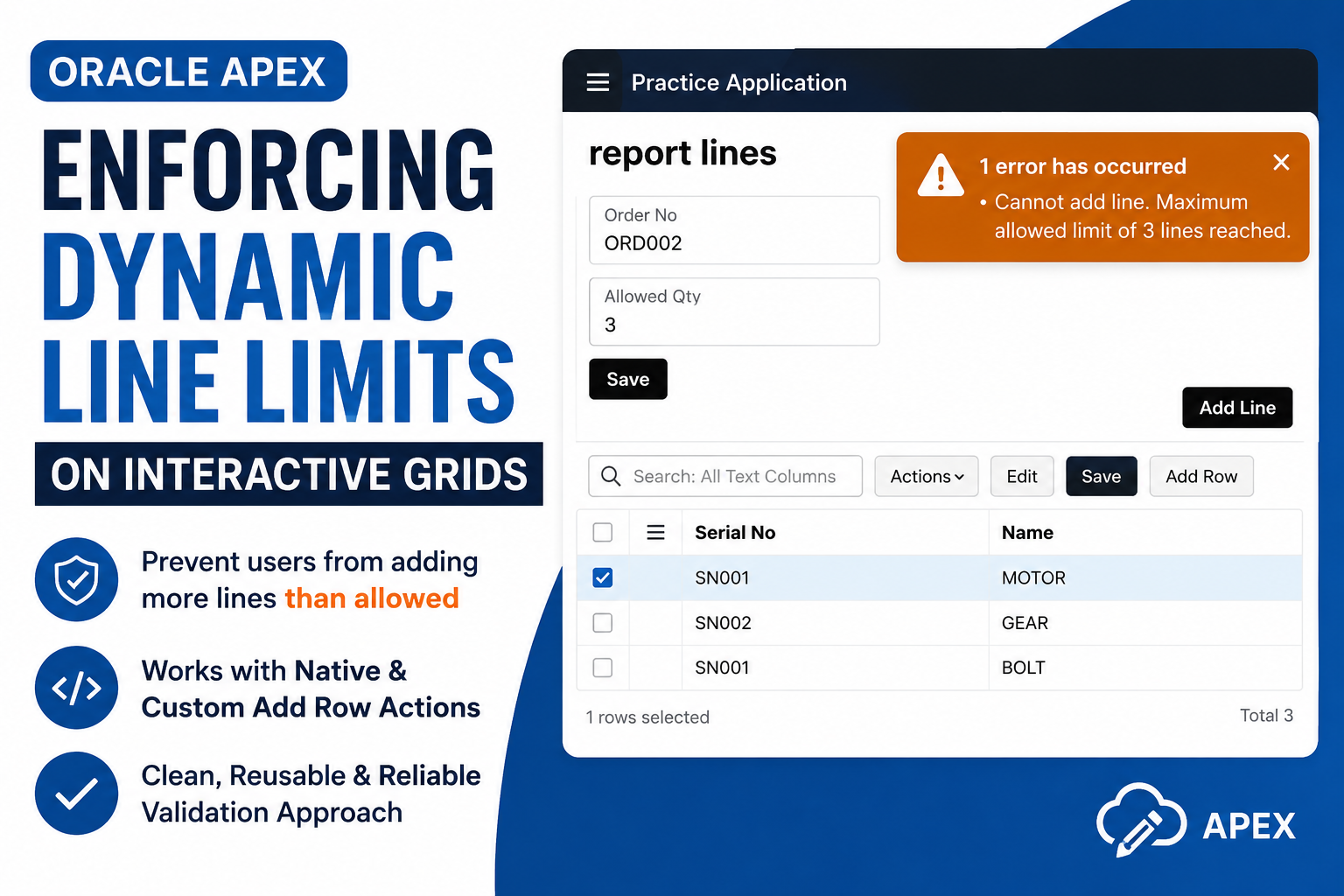
This post demonstrates how to properly enforce a strict, dynamic line count limit on an Interactive Grid that works seamlessly across both native and custom “Add Line” triggers without breaking the APEX lifecycle.
Why we need to do:
Allowing users to exceed allowed line limits on transactional screens leads to several downstream operational and technical issues:
Data Integrity Violations: Users can bypass client-side intentions and submit more line items than permitted by business rules or parent contract limits.
Poor User Experience (UX): If limits are only validated on page submit via server-side PL/SQL, users waste time filling out multiple rows only to receive an error banner upon saving.
APEX Lifecycle Timing Failures: Unhandled client-side JavaScript validations often fail because APEX initializes Interactive Grid widgets asynchronously. Calling grid model methods (getActions, model.forEach) before widget binding completes throws JavaScript exceptions that freeze the UI.
Incorrect Model Inspection: Developers often attempt to call invalid model methods (like model.isDeleted()), crashing execution and allowing duplicate/excess rows to slip through.
How do we solve:
We solve this by creating a centralized validation function that evaluates non-deleted row metadata, hooking it into APEX’s initActions lifecycle, and invoking it safely from custom buttons.
Step 1: Declare the Core Validation Function
Add this function to Page Properties -> JavaScript -> Function and Global Variable Declaration:
function enforceGridRowLimit(model) {
var maxAllowed = parseInt(apex.item(“P4_ALLOWED_QTY”).getValue(), 10) || 0;
var activeCount = 0;
// Correct way to inspect row metadata in APEX Interactive Grid
model.forEach(function(record, index, id) {
var meta = model.getRecordMetadata(id);
// Record is active if metadata doesn’t exist or is not marked deleted
if (!meta || !meta.deleted) {
activeCount++;
}
});
if (activeCount >= maxAllowed) {
apex.message.clearErrors();
apex.message.showErrors([{
type: “error”,
location: “page”,
message: “Cannot add line. Maximum allowed limit of ” + maxAllowed + ” lines reached.”,
unsafe: false
}]);
return false;
}
return true;
}
Step 2: Intercept Native IG “Add Row” Action
In your Interactive Grid Region -> Attributes -> Advanced -> Initialization JavaScript Function, paste this code to intercept toolbar actions:
function(config) {
config.initActions = function(actions) {
var addRowAction = actions.lookup(“selection-add-row”);
if (addRowAction) {
var originalAddRow = addRowAction.action;
addRowAction.action = function(event, el) {
var region = apex.region(“order_lines”);
if (region) {
var model = region.widget().interactiveGrid(“getViews”, “grid”).model;
if (enforceGridRowLimit(model)) {
originalAddRow.call(this, event, el);
}
} else {
originalAddRow.call(this, event, el);
}
};
}
};
return config;
}
Step 3: Configure Custom “Add Line” Button
For custom external buttons, add an Execute JavaScript Code action under its Dynamic Action:
var region = apex.region(“order_lines”);
if (region) {
var gridView = region.widget().interactiveGrid(“getViews”, “grid”);
if (gridView && gridView.model) {
var model = gridView.model;
// Only invoke add row if enforceGridRowLimit returns true
if (enforceGridRowLimit(model)) {
region.call(“getActions”).invoke(“selection-add-row”);
}
}
} else {
console.error(“Region ‘order_lines’ not found.”);
}
OUTPUT
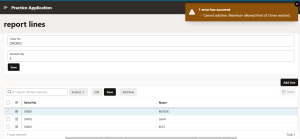
Conclusion:
By shifting line-limit checks into APEX’s native initActions lifecycle and inspecting model records via model.getRecordMetadata(id), we eliminate browser console errors and prevent invalid row additions before submission.
This approach handles both native grid buttons and external custom controls under a single reusable validation pattern while keeping the UI clean and responsive.