
Introduction:
Redwood Pages and standard ADF pages represent two different approaches to building user interfaces within Oracle applications. While standard ADF pages have traditionally been used to develop enterprise-grade web applications with rich functionality, Redwood Pages introduce a modern, streamlined user experience aligned with Oracle’s Redwood Design System. Understanding the differences between these two page types is essential for developers and architects as Oracle continues to evolve its UI strategy toward more responsive, intuitive, and visually consistent applications
Cause of the issue:
The issue arises due to the fundamental differences in architecture, design philosophy, and UI frameworks between Redwood Pages and standard ADF pages. As Oracle transitions toward the Redwood Design System, existing applications built on traditional ADF technology may not fully align with Redwood’s modern UX standards, component model, and interaction patterns, leading to inconsistencies in look, behavior, and customization approach.
How do we solve (Understanding ADF and Redwood Page):
Sales Order
Compare old sales order page and New redwood sales order page and list down the Impact, Improvement, Concerns from user perspective
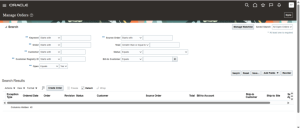
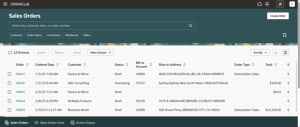
- New page displays orders immediately upon opening, while the old page needs users to search by one of the attributes.
- There are filters and LOV available through Smart Filters for Customer, Order Status, Line Status etc. Nothing of that sort in Standard page.
- There is a Tab Switcher in the bottom to switch to Sales Order Lines page and Action Status. Nothing of that sort in Standard page
Standard Page
Redwood Page
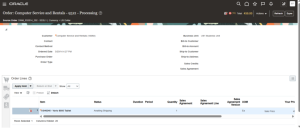
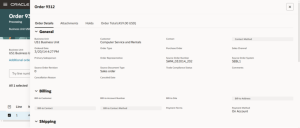
- Shipping and payment details are available below the order lines in standard page, but in Redwood page it is all collated together under Additional Order Details.
Standard Page
Redwood Page
Create Sales Order
- Fields for creating a Sales Order are available all together right away in the classic page. In the Redwood page we can see that only few important information is available at first and all other details are hidden in a drawer that opens after we click on ‘Additional Order Details’.
- For closing the page in standard page we have to Click on ‘Cancel. In the Redwood page we have to click the three dots (More Actions) on the top-right corner of the screen and click on ‘Cancel’
Standard Page
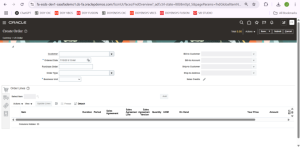
Redwood Page
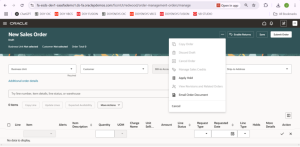
Conclusion
In conclusion, the differences between Redwood Pages and standard ADF pages reflect Oracle’s shift toward a more modern, consistent, and user-centric interface design. While standard ADF pages continue to support robust enterprise functionality, Redwood Pages emphasize simplicity, responsiveness, and alignment with the Redwood Design System. Understanding these differences enables teams to make informed decisions when maintaining existing applications or planning future enhancements, ensuring a smoother transition and a better overall user experience.
