
Introduction/ Issue:
In Oracle Fusion Cloud General Ledger, users previously experienced the ability to create a single journal entry with multiple currencies. However, this behaviour has changed, and the system now restricts journals to a single currency. This blog explains why this change occurred, its business impact, and the correct approach to handle multi-currency accounting in Oracle Fusion Cloud.
Why we need to do / Cause of the issue:
The issue happened because Oracle introduced a new control in a recent update to improve accounting control in General Ledger. This change limits journals to only one currency unless the system is configured differently.
Earlier, users were able to create journals with multiple currencies. But after the update, Oracle added a new option called “Limit journals to a single currency.”
This option is available in two places:
- Specify Ledger Options
- Journal Sources
When this option is turned on, the system automatically:
- Makes the journal header currency mandatory
- Locks the currency field at the line level
- Forces all journal lines to use the same currency
- Prevents users from changing the currency for each line
How do we solve:
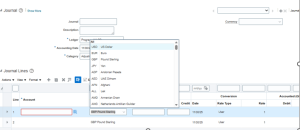
Currency was Mandatory field
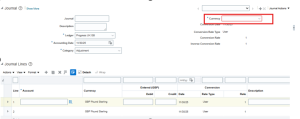
Setting and Action –> Setup and Maintenance –> Specify ledger option
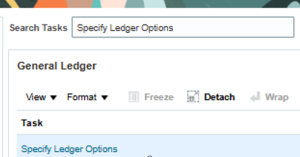
Click on specify ledger option
Select scope and select the ledger
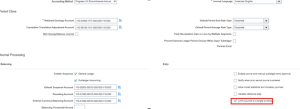
Option 1 here also we can enable the check box
Limit a journal to a single currency
Or
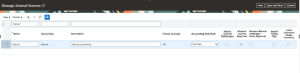
Option 2 Manage journal sources

Setup and Maintenance –> Manage Journal Sources
Select the Journal source
Uncheck the “Limit Journal to single Currency”

Click save and close
User can enter the journal multi-currency entries
Conclusion:
The issue preventing multi-currency journal entries was traced to a configuration setting, not a system defect. By correcting the Journal Sources configuration, we restored the client’s ability to enter journals in multiple currencies. This allowed business operations to proceed uninterrupted, with General Ledger currency controls fully maintained.
