Adding Custom Link Attributes to Lists – Oracle APEX 26.1

Introduction
Oracle APEX 26.1 introduces a small but powerful enhancement to List components: Custom Link Attributes. This feature allows developers to add HTML attributes directly to the links generated by a List, without modifying templates or writing additional JavaScript.
Although it may seem like a minor addition, it simplifies many common customization scenarios and makes List components more flexible while keeping development declarative.
Why We Need This
Lists are one of the most commonly used components in Oracle APEX for navigation and displaying menu items. Before Oracle APEX 26.1, customizing the behavior of individual list links often required template modifications or custom JavaScript.
For example, developers had to use workarounds to:
- Open a specific link in a new browser tab.
- Add custom data-* attributes for JavaScript.
- Include accessibility attributes such as aria-label or title.
- Apply different behaviors to individual list entries.
How We Solve It
Oracle APEX 26.1 introduces a Link Attributes property that lets developers add HTML attributes directly to each generated <a> tag.
Static Lists
For Static Lists, each list entry now includes a Link Attributes field. Any attributes entered in this field are rendered directly on that entry’s link.
For example, to open a link in a new browser tab, simply enter:
target=”_blank” rel=”noopener”
No template edits, no JavaScript just a field on the entry.
For dynamic lists:
Since dynamic lists are built from a SQL query, you now get access to a new column: link_attributes. Whatever string this column returns for each row is written onto that row’s link. This means you can generate different attributes per record, driven entirely by data.
A common use case is attaching data attributes for use in JavaScript later. For example, a query powering an employee list might build a link_attributes value combining each employee’s job title and salary into a data attribute, so that information travels with the link without needing a page reload or additional lookup.
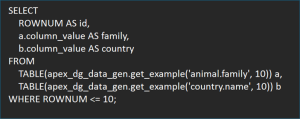
select
    null      as lvl,
    e.ename   as label,
    apex_page.get_url(p_page => 3, p_items => 'P3_EMPNO', p_values => e.empno, p_clear_cache => '3') as target,
    null      as is_current,
    'fa-user' as image,
    null as image_attr,
    null as image_alt,
    null as a01, null as a02, null as a03, null as a04, null as a05,
    null as a06, null as a07, null as a08, null as a09, null as a10,
    'data-sub="' || e.job || ' - $' || e.sal || '"' as link_attributes
from emp e
order by e.ename
Making the click do something:
Attaching a data attribute is only half the story if you want that click to trigger page behavior. To wire this up, you add a Dynamic Action with a selector targeting the custom attribute in square brackets (e.g., [dataempno]), and inside the action’s JavaScript, you read the value straight off the clicked element.
A subtlety worth flagging here: in a Dynamic Action, the click event is exposed as this.browserEvent, not the more commonly expected this.event. It’s a small naming difference, but it’s easy to trip over if you’re used to writing plain JavaScript event handlers, and getting it wrong silently breaks the handler without an obvious error.
A minimal pattern looks something like this:
this.browserEvent.preventDefault();
const empValue = this.triggeringElement.dataset.empno;
apex.message.showPageSuccess(‘Selected employee: ‘ + empValue);
This lets you build genuinely interactive list-based interfaces filtering, showing details, triggering modals all driven by attributes you defined declaratively on the list itself.
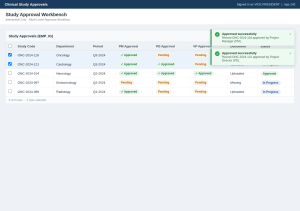
Output

Conclusion
Custom Link Attributes is a feature that doesn’t look like much in a change log, but it removes a small daily annoyance that APEX developers have quietly worked around for years. Instead of editing templates or writing extra JavaScript just to open a link in a new tab, attach a tooltip, or carry a bit of data along with a click, you can now do it declaratively right where you define the list.
It’s a good example of APEX incrementally closing the gap between “what developers commonly need” and “what’s exposed without code.” If you build List regions regularly, it’s worth testing on your next project particularly if you’ve ever found yourself hacking around link behavior with custom JavaScript just to get one small piece of functionality working.