AI Chatbox – Beyond the Default in Oracle APEX
Introduction
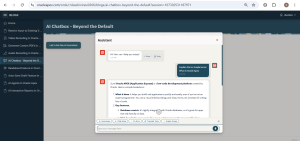
Oracle APEX provides a built-in Show AI Assistant dynamic action to quickly add AI-powered chat capabilities to applications. This document demonstrates how to enhance the default AI Assistant with features such as voice input, message timestamps, retry, quick prompts, chat export, and text-to-speech, creating a smarter and more user-friendly chat experience without modifying the native component.
Technologies Used:
- Oracle APEX
- Oracle AI Assistant (Show AI Assistant Dynamic Action)
- JavaScript ,HTML, CSS
- Browser APIs (Web Speech API & Speech Synthesis API)
Why We Need to Do This?
1. Enhance User Experience
Provide a richer and more intuitive AI chat interface with features beyond the default Oracle APEX AI Assistant.
2. Enable Voice-Based Interaction
Allow users to ask questions using their voice and listen to AI responses through text-to-speech for a hands-free experience.
3. Improve Conversation Management
Display message timestamps, retry previous questions with a single click, and keep conversations organized for better usability.
4. Boost Productivity
Offer quick prompt chips for common tasks such as summarizing text, writing emails, translating content, fixing errors, and simplifying explanations.
5. Export and Share Conversations
Enable users to download chat history as a text file or generate a print-friendly PDF for documentation, sharing, or future reference.
6. Extend Oracle APEX Without Customizing Core Components
Enhance the built-in AI Assistant using JavaScript and browser APIs, keeping the implementation maintainable and compatible with future Oracle APEX updates.
How Do We Solve It?
Step 1 : Add a Button
Create a simple button and label it Chat with AI. Nothing special here. It is just the trigger that opens the assistant dialog when clicked.
2. Create a Dynamic Action on the Button Click
Right-click the button and create a dynamic action. The setup used:
- Event: Click
- True Action 1: Show AI Assistant
For the Show AI Assistant action itself, these are the attribute values:
| Attribute | Value |
| Title | Assistant |
| Generative AI Service | Cohere AI |
| System Prompt | You are a helpful assistant. |
| Welcome Message | Hi! How can I help you today? |
Step 3 : Add below JS Code in Function and Global Declaration
// Global Variables
var apexMicRecognition = null;var apexMicListening   = false;
var apexLastMessage    = '';

// Inject shared styles
function injectChatStyles() {
  if (document.getElementById('apex-chat-styles')) return;
  var style = document.createElement('style');
  style.id = 'apex-chat-styles';
  style.textContent = `
    @keyframes mic-pulse {
      0%   { box-shadow: 0 0 0 0 rgba(229,57,53,0.6); }
      70%  { box-shadow: 0 0 0 12px rgba(229,57,53,0); }
      100% { box-shadow: 0 0 0 0 rgba(229,57,53,0); }
    }
    @keyframes apex-spin { to { transform: rotate(360deg); } }
    #apex-mic-btn {
      position: absolute; right: 8px; top: 50%;
      transform: translateY(-50%);
      width: 34px; height: 34px; border-radius: 50%;
      background: #0572ce; border: none; cursor: pointer;
      display: flex; align-items: center; justify-content: center;
      box-shadow: 0 2px 8px rgba(5,114,206,0.35);
      z-index: 9999; transition: background 0.2s;
    }
    #apex-mic-btn.listening {
      background: #e53935 !important;
      animation: mic-pulse 1.2s infinite;
    }
    #apex-chat-toolbar {
      display: flex; align-items: center;
      gap: 6px; padding: 6px 10px 4px 10px;
      border-top: 1px solid #e5e8ec;
      flex-wrap: wrap; background: #fff;
    }


    .apex-quick-prompt {
  padding: 4px 10px; border-radius: 14px;
      border: 1px solid #0572ce; background: #fff;
      color: #0572ce; font-size: 11px; cursor: pointer;
      font-family: sans-serif; white-space: nowrap;
      transition: background 0.15s, color 0.15s;
    }
    .apex-quick-prompt:hover { background: #0572ce; color: #fff; }

    .apex-tool-btn {
      width: 30px; height: 30px; border-radius: 50%;
      border: none; background: transparent; cursor: pointer;
      display: flex; align-items: center; justify-content: center;
      color: #6c7a8d; transition: background 0.2s, color 0.2s;
      margin-left: auto; flex-shrink: 0;
  }
    .apex-tool-btn:hover { background: #e8f0fe; color: #0572ce; }
    .apex-tool-btn.active { color: #0572ce; background: #e8f0fe; }
    #apex-export-menu {
      display: none; position: absolute;
      bottom: 100%; right: 0;
      background: #fff; border: 1px solid #dde1e7;
      border-radius: 10px; box-shadow: 0 4px 16px rgba(0,0,0,0.12);
      z-index: 99999; overflow: hidden; min-width: 140px;
    }
    #apex-export-menu.visible { display: block; }
    .apex-export-opt {
      display: flex; align-items: center; gap: 8px;
      padding: 10px 16px; cursor: pointer;
      font-size: 13px; font-family: sans-serif; color: #333;
      transition: background 0.15s;
    }
    .apex-export-opt:hover { background: #f0f4ff; }
    .apex-msg-time {
      font-size: 10px; color: #9aa3af;
      font-family: sans-serif;
      display: block; margin-top: 3px;
    }


    .apex-msg-actions {
    display: flex; gap: 6px; margin-top: 6px;    }

    .apex-msg-action-btn {
 background: none; border: 1px solid #dde1e7;
 border-radius: 12px; padding: 2px 8px;
 font-size: 11px; cursor: pointer; color: #6c7a8d;
 font-family: sans-serif;
 transition: background 0.15s, color 0.15s;
 display: flex; align-items: center; gap: 4px;}

    .apex-msg-action-btn:hover { background: #e8f0fe; color: #0572ce; border-color: #0572ce; }
 .apex-msg-action-btn.speaking { color: #e53935; border-color: #e53935; }
    #apex-toolbar-right {
      position: relative; display: flex;
      align-items: center; gap: 4px; margin-left: auto;    }`;
document.head.appendChild(style);}

//Set textarea value (APEX-safe)
function setTextareaValue(input, text) {
  input.focus();
  var nativeSetter = Object.getOwnPropertyDescriptor(
    window.HTMLTextAreaElement.prototype, 'value'
  ).set;
  nativeSetter.call(input, text);
  input.dispatchEvent(new Event('input',  { bubbles: true }));
  input.dispatchEvent(new Event('change', { bubbles: true }));
}

// Format current time
function apexNow() {
  var d = new Date();
  var h = d.getHours(), m = d.getMinutes();
  var ampm = h >= 12 ? 'PM' : 'AM';
  h = h % 12 || 12;
  return h + ':' + (m < 10 ? '0' + m : m) + ' ' + ampm;}


// Get all chat message rows
function getAllChatMessages() {
  return document.querySelectorAll('li.a-ChatItem-row');
}

// Parse role + text from a message element
function parseMessage(msg) {
  var isUser = msg.classList.contains('a-ChatItem-row--outbound');
  var textEl = msg.querySelector('div.a-ChatItem-message');
  var clone  = textEl ? textEl.cloneNode(true) : null;
  if (clone) {
    clone.querySelectorAll('.apex-msg-time, .apex-msg-actions').forEach(function (el){
el.remove();
    });  }
return {
    isUser: isUser,
    role:   isUser ? 'You' : 'AI Assistant',
    text:   clone ? clone.innerText.trim() : '',
 textEl: textEl
  };}

// 1. EXPORT AS TXT
function exportChatAsTxt() {
  var messages = getAllChatMessages();
  if (!messages.length) { alert('No chat history to export.'); return; }
var lines = ['CHAT HISTORY — ' + new Date().toLocaleString(), '='.repeat(40), ''];
 messages.forEach(function (msg) {
    var parsed = parseMessage(msg);
    if (!parsed.text) return;
    lines.push(parsed.role + ':');
    lines.push(parsed.text);
    lines.push('');
  });

var blob = new Blob([lines.join('\n')], { type: 'text/plain' });
  var a = document.createElement('a');
  a.href     = URL.createObjectURL(blob);
  a.download = 'chat-history-' + Date.now() + '.txt';

  a.click();
console.log('TXT exported');
}

//1. EXPORT AS PDF (Print)
function exportChatAsPdf() {
  var messages = getAllChatMessages();
  if (!messages.length) { alert('No chat history to export.'); return; }

var rows = [];
  messages.forEach(function (msg) {
    var parsed = parseMessage(msg);
    if (!parsed.text) return;
    var timeEl = msg.querySelector('.apex-msg-time');
    rows.push({
      isUser: parsed.isUser,
      role:   parsed.role,
      text:   parsed.text,
      time:   timeEl ? timeEl.textContent : apexNow()    });});

if (!rows.length) { alert('No chat history to export.'); return; }
  var html = `
    <html><head><title>Chat History</title>    <style>
 body { font-family: Arial, sans-serif; padding: 30px; color: #333; max-width: 800px; margin: 0 auto; }
      h2   { color: #0572ce; border-bottom: 2px solid #0572ce; padding-bottom: 8px; }
      .wrap { display: flex; flex-direction: column; gap: 12px; }
      .msg  { padding: 12px 16px; border-radius: 12px; max-width: 75%; }
      .user { background: #e8f0fe; align-self: flex-end; }
      .ai   { background: #f5f5f5; align-self: flex-start; }
      .role { font-weight: bold; font-size: 12px; color: #0572ce; margin-bottom: 6px; }
      .text { font-size: 14px; line-height: 1.5; white-space: pre-wrap; }
      .time { font-size: 10px; color: #999; margin-top: 6px; }
</style></head>
    <body>
    <h2>💬 Chat History — ` + new Date().toLocaleString() + `</h2>
    <div class="wrap">`;


 rows.forEach(function (r) {
html += '<div class="msg ' + (r.isUser ? 'user' : 'ai') + '">';
    html += '<div class="role">' + r.role + '</div>';
    html += '<div class="text">' + r.text.replace(/</g,'<').replace(/>/g,'>').replace(/\n/g,'<br>') + '</div>';    html += '<div class="time">' + r.time + '</div>';
 html += '</div>';});
 html += '</div></body></html>';
  var win = window.open('', '_blank');
  win.document.write(html);
  win.document.close();
  setTimeout(function () { win.print(); }, 600);
  console.log('PDF print opened');
}
// 3. TEXT TO SPEECH
function speakText(text, btn) {
  if (!window.speechSynthesis) { alert('TTS not supported in this browser.'); return; }
  if (window.speechSynthesis.speaking) {
    window.speechSynthesis.cancel();
    document.querySelectorAll('.apex-msg-action-btn.speaking').forEach(function (b){
 b.classList.remove('speaking');
      b.innerHTML = '🔊 Read';
    });    return;}

 var utterance  = new SpeechSynthesisUtterance(text);
  utterance.lang = 'en-US';
  utterance.rate = 1;
  utterance.onend = function () {
    if (btn) { btn.classList.remove('speaking'); btn.innerHTML = '🔊 Read'; }
  };
  utterance.onerror = function () {
    if (btn) { btn.classList.remove('speaking'); btn.innerHTML = '🔊 Read'; }
  };
  if (btn) { btn.classList.add('speaking'); btn.innerHTML = '⏹ Stop'; }
  window.speechSynthesis.speak(utterance);}


//4. TIMESTAMPS + TTS + RETRY on messages
function addMessageEnhancements() {
  getAllChatMessages().forEach(function (msg) {
    if (msg.getAttribute('data-apex-enhanced')) return;
  msg.setAttribute('data-apex-enhanced', '1');
 var parsed = parseMessage(msg);
 If (!parsed.textEl) return;
 // Timestamp
    var timeSpan = document.createElement('span');
    timeSpan.className   = 'apex-msg-time';
    timeSpan.textContent = apexNow();
    parsed.textEl.appendChild(timeSpan);
    // TTS + Retry on AI messages only
    if (!parsed.isUser) {
      var actionsDiv = document.createElement('div');
      actionsDiv.className = 'apex-msg-actions';
   var ttsBtn = document.createElement('button');
      ttsBtn.className = 'apex-msg-action-btn';
      ttsBtn.innerHTML = '🔊 Read';
      ttsBtn.addEventListener('click', function () {
        var clone = parsed.textEl.cloneNode(true);
        clone.querySelectorAll('.apex-msg-time, .apex-msg-actions').forEach(function(el) {
 el.remove();
 });
        speakText(clone.innerText.trim(), ttsBtn);      });
  var retryBtn = document.createElement('button');
      retryBtn.className = 'apex-msg-action-btn';
      retryBtn.innerHTML = '🔁 Retry';
      retryBtn.addEventListener('click', function () {
        if (!apexLastMessage) { alert('No previous message to retry.'); return; }
        var input = document.querySelector('textarea.a-ChatInput-text');
        if (input) {
          setTextareaValue(input, apexLastMessage);
          setTimeout(function () {
            var sendBtn = document.querySelector('button.a-ChatInput-button--send');
            if (sendBtn && !sendBtn.disabled) sendBtn.click();
          }, 200);        }

      });


      actionsDiv.appendChild(ttsBtn);
 actionsDiv.appendChild(retryBtn);
parsed.textEl.after(actionsDiv);    }
  // Track last user message for Retry
    if (parsed.isUser) {
      apexLastMessage = parsed.text;
    }  });}

//2. QUICK PROMPTS + EXPORT TOOLBAR
function initChatToolbar() {
  if (document.getElementById('apex-chat-toolbar')) return;
  var chatInput = document.querySelector('div.a-ChatInput');
  var input     = document.querySelector('textarea.a-ChatInput-text');
  if (!chatInput || !input) return;
  var toolbar = document.createElement('div');
  toolbar.id  = 'apex-chat-toolbar';
  // Quick prompt buttons
  var prompts = [
    { label: '📝 Summarise',      text: 'Please summarise the above in bullet points.' },
    { label: '📧 Write Email',     text: 'Write a professional email about: ' },
    { label: '🔧 Fix Error',       text: 'I have this error, please help fix it:\n\n' },
    { label: '🌐 Translate Tamil', text: 'Translate the following to Tamil:\n\n' },
    { label: '💡 Explain Simply',  text: 'Explain this in simple terms:\n\n' }  ];

prompts.forEach(function (p) {
    var btn = document.createElement('button');
    btn.className   = 'apex-quick-prompt';
    btn.textContent = p.label;
    btn.addEventListener('click', function () {
      setTextareaValue(input, p.text);
      input.focus();
      input.setSelectionRange(p.text.length, p.text.length);
    });
    toolbar.appendChild(btn);
  });


  // Right side — export button + dropdown menu
var rightWrap = document.createElement('div');
  rightWrap.id  = 'apex-toolbar-right';
  var exportBtn = document.createElement('button');
  exportBtn.className = 'apex-tool-btn';
  exportBtn.title     = 'Export Chat';
  exportBtn.innerHTML = `
    <svg viewBox="0 0 24 24" width="16" height="16" fill="none" stroke="currentColor"
         stroke-width="2" stroke-linecap="round" stroke-linejoin="round">
      <path d="M21 15v4a2 2 0 0 1-2 2H5a2 2 0 0 1-2-2v-4"/>
      <polyline points="7 10 12 15 17 10"/>
      <line x1="12" y1="15" x2="12" y2="3"/>
    </svg>`;


  var exportMenu = document.createElement('div');
  exportMenu.id  = 'apex-export-menu';
  exportMenu.innerHTML = `
    <div class="apex-export-opt" id="apex-export-txt">
      <span>📄</span> Download TXT

    </div>
<div class="apex-export-opt" id="apex-export-pdf">
      <span>🖨️</span> Print / PDF
    </div>`;
  exportBtn.addEventListener('click', function (e) {
    e.stopPropagation();
    exportMenu.classList.toggle('visible');
  });
  document.addEventListener('click', function () {
    exportMenu.classList.remove('visible');
  });
  exportMenu.querySelector('#apex-export-txt').addEventListener('click', function () {
 exportChatAsTxt();
    exportMenu.classList.remove('visible');
  });

  exportMenu.querySelector('#apex-export-pdf').addEventListener('click', function () {
 exportChatAsPdf();
    exportMenu.classList.remove('visible');
  });
  rightWrap.appendChild(exportBtn);
  rightWrap.appendChild(exportMenu);
  toolbar.appendChild(rightWrap);
  chatInput.parentNode.insertBefore(toolbar, chatInput);
}


// MIC BUTTON
function initApexMicButton() {
  var input = document.querySelector('textarea.a-ChatInput-text');
  if (!input) return false;
  if (document.getElementById('apex-mic-btn')) return true;
  var textWrap = document.querySelector('div.a-ChatInput-textWrap');
  if (!textWrap) return false;
textWrap.style.position = 'relative';
  input.style.paddingRight = '50px';
  var micBtn = document.createElement('button');
  micBtn.id   = 'apex-mic-btn';
  micBtn.type = 'button';
  micBtn.title = 'Click to speak';
  micBtn.innerHTML = `
    <svg viewBox="0 0 24 24" width="17" height="17" fill="white" xmlns="http://www.w3.org/2000/svg">
      <path d="M12 1a4 4 0 0 1 4 4v6a4 4 0 0 1-8 0V5a4 4 0 0 1 4-4zm6 9a1 1 0 0 1 2 0
               A8 8 0 0 1 13 17.93V20h2a1 1 0 0 1 0 2H9a1 1 0 0 1 0-2h2v-2.07
               A8 8 0 0 1 4 10a1 1 0 0 1 2 0 6 6 0 0 0 12 0z"/>
    </svg>`;
  textWrap.appendChild(micBtn);
var SpeechRecognition = window.SpeechRecognition || window.webkitSpeechRecognition;
  if (!SpeechRecognition) {
    micBtn.style.opacity = '0.4';
    micBtn.style.cursor  = 'not-allowed';
    micBtn.title = 'Use Chrome for speech support.';

    return true;
}
  apexMicRecognition = new SpeechRecognition();
  apexMicRecognition.lang            = 'en-US';
  apexMicRecognition.interimResults  = false;
  apexMicRecognition.maxAlternatives = 1;
  micBtn.addEventListener('click', function (e) {
e.preventDefault(); e.stopPropagation();
    apexMicListening ? apexMicRecognition.stop() : apexMicRecognition.start();
  });
  apexMicRecognition.onstart = function () {
    apexMicListening = true;
    micBtn.classList.add('listening');
    micBtn.title = 'Listening… click to stop';  };

apexMicRecognition.onresult = function (event) {
    var transcript = event.results[event.results.length - 1][0].transcript.trim();
    apexLastMessage = transcript;
    setTextareaValue(input, transcript);  };
apexMicRecognition.onend = function () {
    apexMicListening = false;
    micBtn.classList.remove('listening');
    micBtn.title = 'Click to speak';
    setTimeout(function () {
      var sendBtn = document.querySelector('button.a-ChatInput-button--send');
      if (sendBtn && !sendBtn.disabled) sendBtn.click();
    }, 400);
  };
  apexMicRecognition.onerror = function (e) {
    console.warn('Mic error:', e.error);
    apexMicListening = false;
    micBtn.classList.remove('listening');
    micBtn.title = 'Click to speak';
  };
  return true;}

// Init all features
function initAllChatFeatures() {  I
njectChatStyles();

  initApexMicButton();I
nitChatToolbar();
}
//Watch transcript for new messages
function watchTranscript() {
  var transcript = document.querySelector('div.a-ChatTranscript');
  if (!transcript) return false;
addMessageEnhancements();
  var observer = new MutationObserver(function () {
    setTimeout(function () {
      addMessageEnhancements();
      if (!document.getElementById('apex-mic-btn'))     initApexMicButton();
      if (!document.getElementById('apex-chat-toolbar')) initChatToolbar();
    }, 300);
  });
  observer.observe(transcript, { childList: true, subtree: true });
  return true;}
Conclusion :
Enhancing the Oracle APEX AI Assistant with features such as voice input, timestamps, retry, quick prompts, chat export, and text-to-speech creates a more interactive and productive user experience. By combining Oracle APEX with JavaScript and browser APIs, you can build a smarter AI ChatBox without modifying the native component, making it easy to maintain and extend.
OUTPUT :