Enable a Button Based on Checkbox Selection in an Oracle APEX Classic Report
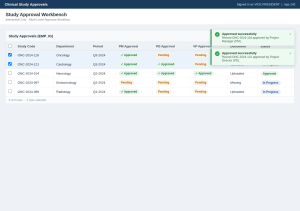
Introduction: In Oracle APEX applications, it is common to perform actions such as Approve, Delete, Issue, or Submit only after the user selects one or more records from a Classic Report. However, by default, action buttons remain enabled even when no rows are selected, which may lead to unnecessary validations or user errors.
This blog demonstrates how to enable a button only when at least one checkbox is selected in a Classic Report using JavaScript.
Why we need to do: Classic Reports often include checkboxes to allow users to select multiple records for processing. If the action button is always enabled:
- Users can click the button without selecting any records.
- Additional server-side validations become necessary.
- Users may receive unnecessary error messages.
- The overall user experience is less intuitive.
By enabling the button only after a checkbox is selected, the application guides users to perform valid actions and reduces unnecessary processing.
How do we solve: The solution uses JavaScript to monitor checkbox selections in the Classic Report. The script:
- Disables the button when the page loads.
- Enables the button when at least one checkbox is selected.
- Disables the button again if all checkboxes are deselected.
- Supports both individual row selection and the “Check All” checkbox.
Step 1: Create a Classic Report
Create a Classic Report containing a checkbox column.
Step 2: Assign a Static ID to the Button
Create the action button and assign a Static ID.
Step 3: Add the JavaScript
Place the following JavaScript in the page’s Function and Global Variable Declaration, Execute when Page Loads, or a suitable Dynamic Action
JavaScript Code:
// Disable button initially

$('#SAVE_BTN').prop('disabled', true);


function updateButtonState() {

var checkedCount = $('input[name="f01"]:checked').length;


// Enable button if at least one checkbox is selected

$('#SAVE_BTN').prop('disabled', checkedCount === 0);

}


// Handle individual row checkboxes

$(document).off('change.chkbox').on('change.chkbox', 'input[name="f01"]', function () {

updateButtonState();

});


// Handle "Check All" checkbox

$(document).off('change.checkall').on('change.checkall', '#checkAll', function () {

var isChecked = this.checked;

$('input[name="f01"]').prop('checked', isChecked);

updateButtonState();

});


// Initial state

updateButtonState();
How It Works:
- The button is disabled when the page loads.
- Each time a checkbox is selected or deselected, the script counts the checked rows.
- If one or more checkboxes are selected, the button is enabled.
- If no checkboxes are selected, the button is disabled.
- The logic also updates the button state when the “Check All” checkbox is used.
This approach provides immediate feedback without requiring a page refresh or server-side processing.
Real-Time Scenario:
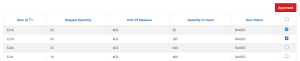
Consider a Store Issue screen where users can issue materials for multiple requests.
- Initially, the Issue button is disabled.
- The user selects one or more request rows.
- The Issue button becomes enabled automatically.
- If all selected rows are cleared, the button is disabled again.
This ensures that the action is available only when valid records are selected.
Conclusion: Using a small JavaScript function, you can significantly improve the usability of Oracle APEX Classic Reports by enabling action buttons only when records are selected. This client-side approach minimizes unnecessary validations, prevents invalid actions, and provides a smoother user experience. The solution is lightweight, reusable, and can be applied to any Classic Report that uses APEX_ITEM.CHECKBOX2 for row selection.