
Introduction:
Oracle APEX is Oracle’s low-code development platform that enables developers to build secure, scalable, and enterprise-grade web applications with minimal coding. A successful APEX deployment requires proper installation and configuration of Oracle APEX, ORDS, Java, and Apache Tomcat. In this blog, we’ll walk through the complete installation and configuration of Oracle APEX 26.1 on Oracle Database, including ORDS and Tomcat integration.
Why Do We Need It?
Installing Oracle APEX involves configuring multiple components such as Oracle Database, ORDS, JDK, and Tomcat. If these components are not configured correctly, users may face issues accessing the APEX workspace or REST services. A proper installation ensures a stable, secure, and fully functional environment for developing and managing Oracle APEX applications.
How Do We Solve It?
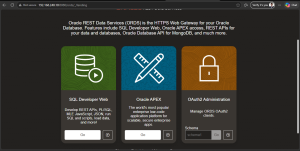
The solution is to install Oracle APEX 26.1, configure the APEX REST services, install and configure JDK and Apache Tomcat, deploy ORDS, and integrate it with Tomcat. After configuring the required environment variables and starting the Tomcat service, verify that ORDS and APEX are accessible through the browser and that the APEX Administration Services page loads successfully.
Prerequisites:
a) Configuration files,
- Apex 26.1 – https://www.oracle.com/tools/downloads/apex-downloads/
- ORDS 26.2.1 – https://www.oracle.com/database/sqldeveloper/technologies/db-actions/download/
- JDK 21 LTS – https://www.oracle.com/in/java/technologies/downloads/#java21
- Tomcat 9.0.120 – https://tomcat.apache.org/download-90.cgi
b) Supported Database version,
Configuration Steps:
Step 1: Apex Configuration,
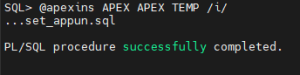
a) Unzip the Apex file and install.

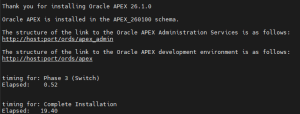
b) configure the database apex restful services,


c) set the port number as 0,
exec dbms_xdb.sethttpport(0);

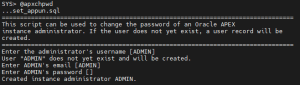
d) Create Apex Admin user,
Step 2: Java and Tomcat Configuration,
a) Unzip the java and tomcat zip files,

b) Give read write permissions to the apex folders,
chmod -R 775 apex_26.1
c) Create Tomcat env file to start the tomcat service,

d) Ensure firewall is disabled.
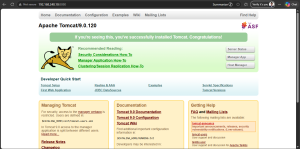
e) Start the tomcat,
$CATALINA_HOME/bin/startup.sh

Step 3: ORDS configuration,
a) Create a directory ORDS and unzip the ords zip inside the ORDS directory.
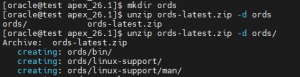
b) Copy the images folder from apex directory and create a directory called iin the /apex/apex_24.2/apache-tomcat-9.0.115/webapps directory and move into it. After, install the ords.
cp -r /home/oracle/apex_26.1/apex/images/* /home/oracle/apex_26.1/apache-tomcat-9.0.120/webapps/i/

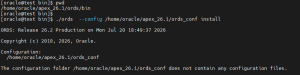
c) Create a ords_conf and install the ords into the database, Inside the ords bin directory, run,
./ords –config /home/oracle/apex_26.1/ords_conf install
d) copy the ords.war file from ords directory to the tomcat webapps folder.
cp ords.war /home/oracle/apex_26.1/apache-tomcat-9.0.120/webapps/
e) If the tomcat service is up, down the service and create setenv.sh in $CATALINA_HOME/bin folder.
export ORDS_CONFIG=/home/oracle/apex_26.1/ords_conf
export JAVA_OPTS=”-Dconfig.url=${ORDS_CONFIG} -Xms1024M -Xmx1024M”

f) Source the setenv.sh and Start the tomcat service:

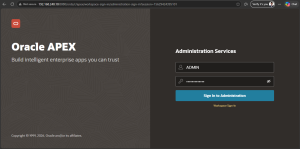
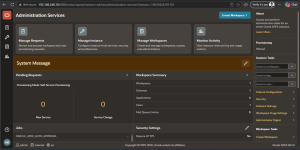
Conclusion:
By completing the installation and configuration of Oracle APEX 26.1, ORDS, JDK, and Apache Tomcat, you can build a reliable environment for developing and deploying Oracle APEX applications. Following the correct configuration steps ensures seamless access to APEX Administration Services and provides a stable platform for application development.
